Wednesday, 25 June 2025
KDE will drop Qt5 CI Support at the End of September 2025

If you are a developer and your KDE project is still based on Qt5 you should really really start porting to Qt6 now.
https://mail.kde.org/pipermail/kde-devel/2025-June/003742.html
Tuesday, 24 June 2025
On publishing Ada & Zangemann in Danish

I and Øjvind started working in the Danish translation of Ada & Zangemann in 2023, Øjvind as translator and myself as proofreader.
Throughout 2024, we tried pitching the book to a number of Danish publishing houses, to no avail: Some didn’t respond, others didn’t want to publish the book.
In order to get an idea of what it would take to just print it, we got a quote from the Danish printing house LaserTryk, and it seemed OK: About DKK 40,000 for 1,000 copies or DKK 52,000 for 2,000 (note: 1 DKK ~0.13€, i.e. 1€ ~ 7.5 DKK). We briefly entertained the idea of doing print on demand only but quickly dismissed the idea: It’s difficult for a book that’s print on demand only and doesn’t go through the whole publishing cycle the way a “real” printed book does to have the same kind of cultural impact. And of course we’d like this book to have the maximum cultural impact possible.
And yet, the only remaining option seemed to publish it ourselves. So I registered a company with the Danish authorities, and we – I, Nico, Øjvind and Matthias – started work on the production of the printable PDF.
In order to raise money for paying the printing bill and various other expenses, I did the following:
- I gave the newly formed company a loan of DKK 60,000 (~8,000€) from my own savings
- I contacted various organizations about buying copies of the book to support. Notably, PROSA (the IT worker’s union, who have often supported free software initiatives) pledged to buy 100 copies. The companies Magenta and Semaphor also pledged to buy some copies.
We also contacted the children’s coding charity Coding Pirates who bought a box (33 copies) to sell on their web shop.
This advance sales almost covered half the printing bill (we ended up printing 2,000 copies).
The next step was to tell people about the book. We did this, among other things, by having a premiere for the Danish edition of the Ada & Zangemann film on March 27; by posting on Maston etc., and by having an official book launch on June 16.
We also sent review copies to various newspapers, and we submitted two copies to the Danish National Bibliography.
By doing that, we ensured that the book was considered for purchase by the public libraries. This in fact resulted in the book getting a healthy recommendation.
A good friend who is a self-published author himself adviced me to get a deal with a distributor – that would mean the book is available on the portal all booksellers use to order books, and that the distributor can handle all the necessary shipping. Such an agreement is not free of charge (of course), but on the other hand they will send any proceeds from sales to bookstores and libraries on a monthly basis with no extra work for the publisher.
So, how does it look now that the book has been published?
So far, ~250 copies have been sold, either through advance sales (as noted) or to individuals paying directly to me. From this, I received money enough for the company to repay me DKK 30,000 in early May. The company at the time of writing holds about DKK 20,000 but also owes the tax authorities about DKK 6,500 which will be paid later in June.
All in all, subtracting some storage expenses the deal may be some DKK 20,000 in the red – i.e., I still need to make about DKK 20,000 to break even.
The FSFE has pledged to buy some copies, and that, combined with the money I expect to come in soon from sales in book stores and to libraries, should ensure the numbers will become black soon. Once the remaining DKK 20,000 have been repaid to my savings, the company must pay its own way.
So, as I said: When the actual sales to libraries etc. start, the numbers should start becoming black. When that happens, the company can reinvest, e.g. gifting books to schools to raise awareness of the book, etc.
Just for possible inspiration – self-publishing is kind of doable in that way. What’s important, if you wish to use this procedure in your own country, is to use the existing professional infrastructure for book publishing: Distributors, library reviewers etc., and thankfully I had good help with that.
Sunday, 15 June 2025
KDE Gear 25.08 release schedule
This is the release schedule the release team agreed on
https://community.kde.org/Schedules/KDE_Gear_25.08_Schedule
Dependency freeze is in around 2 weeks (July 3) and feature freeze one
after that. Get your stuff ready!
A tale of two pull requests: Addendum

In the previous post, I criticised Rust’s contribution process, where a simple patch languished due to communication hurdles. Rust isn’t unique in struggling with its process. This time, the story is about Python.
Parsing HTML in Python
As its name implies, the html.parser module provides interfaces for parsing HTML documents. It offers an HTMLParser base class users can extend to implement their own handling of HTML markup. Of our interest is the unknown_decl method, which ‘is called when an unrecognised declaration is read by the parser.’ It’s called with an argument containing ‘the entire contents of the declaration inside the <![...]> markup.’ For example:
from html.parser import HTMLParser

class MyParser(HTMLParser):
    def unknown_decl(self, data: str) -> None:
        print(data)

parser = MyParser()
parser.feed('<![if test]>')
    # Prints out: if test
    # (unless Python 3.13.4+, see below)
parser.feed('<![CDATA[test]]>')
    # Prints out: CDATA[test
Notice the problem? When used with a CDATA declaration, the behavior doesn’t quite match the documentation: the argument passed to unknown_decl is missing a closing square bracket. This behaviour makes a simple task unexpectedly difficult. An HTML filter — say one which sanitises user input — would risk corrupting the data by adding the wrong number of closing brackets.
In May 2021, I developed and submitted a fix for the issue. However, contributing to Python requires signing a Python Software Foundation contributor license agreement (CLA), which required an account on bugs.python.org website. The problem is: I never received the activation email.
Eventually, a few days after the submission, a bot tagged the pull request with ‘CLA signed’ label. That should imply that everything was in order, and the patch was ready to be reviewed and merged. Yet, a year later, the label was manually removed, leaving the PR in limbo with no explanation. Was the CLA signed or not? The system itself seemed to have no consistent answer.
Python 3.13.4
Python 3.13.4 came out last week and changed teh particular corner of the code-base. CDATA handling is unchanged, but other declarations are now passed to the parse_bogus_comment method, which uses a different matching mechanism.
Ironically, while that solved a different issue users had, the documentation remains incorrect and the CDATA handling is still bizarre (unknown_decl is called with unmatched square brackets) not to call it outright broken.
Discussion
I’m not fond of CLAs in the best of times, but if a project requires them, the least it could do is make sure that the system for getting them signed works correctly. It is surprising getting a physical paperwork for my Emacs contributions1 was easier than getting things done electronically for Python.
There were two differences: barrier to entry and someone to follow up on the signing process. To initiate contribution to Emacs, an email account is sufficient; sending a patch is sufficient to get the process starts rolling. In Python, there is upfront barrier of creating bugs.python.org account and signing the CLA.
Secondly, Emacs process had people involved ready to follow up. Any confusion I had was addressed, and — even though slow as it involved the post — it went smoothly. This was not the case in Python where there was no obvious way to contact someone about problems.
Ultimately, a thriving free software project needs not only quality code but also healthy community of contributors. Both Python and Rust are phenomenal technical achievements, but these stories show how even giants can stumble on human-scale issues.
1 It is my understanding that GNU projects which require copyright assignment offer an electronic process now. ↩
On a tale of two pull requests
I was going to leave a comment on “A tale of two pull requests”, but would need to authenticate myself via one of the West Coast behemoths. So, for the benefit of readers of the FSFE Community Planet, here is my irritable comment in a more prominent form.
I don’t think I appreciate either the silent treatment or the aggression typically associated with various Free Software projects. Both communicate in some way that contributions are not really welcome: that the need for such contributions isn’t genuine, perhaps, or that the contributor somehow isn’t working hard enough or isn’t good enough to have their work integrated. Never mind that the contributor will, in many cases, be doing it in their own time and possibly even to fix something that was supposed to work in the first place.
All these projects complain about taking on the maintenance burden from contributions, yet they constantly churn up their own code and make work for themselves and any contributors still hanging on for the ride. There are projects that I used to care about that I just don’t care about any more. Primarily, for me, this would be Python: a technology I still use in my own conservative way, but where the drama and performance of Python’s own development can just shake itself out to its own disastrous conclusion as far as I am concerned. I am simply beyond caring.
Too bad that all the scurrying around trying to appeal to perceived market needs while ignoring actual needs, along with a stubborn determination to ignore instructive prior art in the various areas they are trying to improve, needlessly or otherwise, all fails to appreciate the frustrating experience for many of Python’s users today. Amongst other things, a parade of increasingly incoherent packaging tools just drives users away, heaping regret on those who chose the technology in the first place. Perhaps someone’s corporate benefactor should have invested in properly addressing these challenges, but that patronage was purely opportunism, as some are sadly now discovering.
Let the core developers of these technologies do end-user support and fix up their own software for a change. If it doesn’t happen, why should I care? It isn’t my role to sustain whatever lifestyle these people feel that they’re entitled to.
Sunday, 08 June 2025
A tale of two pull requests
In November 2015, rmcgibbo opened Twine Issue #153. Less than two months later, he closed it with no explanation. The motive behind this baffling move might have remained an unsolved Internet mystery if not for one crucial fact: someone asked and rmcgibbo was willing to talk:
thedrow on Dec 31, 2015ContributorWere you able to resolve the issue?rmcgibbo on Dec 31, 2015AuthorNo. I decided I don’t care.


We all had such moments, and this humorous exchange serves as a reminder that certain matters are not worth stressing about. Like Marcus Aurelius once said, ‘choose not to be harmed — and you won’t feel harmed.’ However, instead of discussing philosophy, I want to bring up some of my experiences to make a point about contributions to free software projects.
The two pull requests
Rather than London and Paris, this tale takes place on GitHub and linux-kernel mailing list. The two titular pull requests (PRs) are of my own making and contrast between them help discuss and critique Rust’s development process.
Matching OS strings in Rust
At the beginning of 2023, I started looking into adding features to Rust that would allow for basic parsing of OsStr values.1 I eventually stumbled upon RFC 1309 and RFC 2295 which described exactly what I needed. The only problem was that they lacked an implementation. I set out to change that.
I submitted the OsStr pattern matching PR inspired by those RFCs in March 2023. Throughout April and May, I made various minor fixes to address Windows test failures, all while waiting for a reaction from the Rust project. I had no idea whether my approach was acceptable and I didn’t want to spend more time on a PR only for it to be rejected.
And waited I did. Nearly two years, until January 2025, when the Rust project finally responded. The code was accepted. A pity that I didn’t care any longer. I certainly didn’t care enough to resolve the numerous merge conflicts that had accumulated in the interim.
The PR was closed soon after and the feature remains unimplemented.
Allocating memory in Linux
In July 2010, I submitted the Contiguous Memory Allocator (CMA) to the linux-kernel. At the time, it was a relatively small patchset with only four commits. I didn’t know then that it was the beginning of quite an adventure. The code went through several revisions and required countless hours of additional work and discussions.
It was April 2012, nearly two years later, when version 24 of the patchset was eventually merged. By then, it had grown to 16 commits and included two other contributors.
On paper, both contributions took nearly two years from submission to conclusion. And yet, while I remain particularly fond of my CMA work, the Rust experience is an example of why I dislike contributing to Rust. The two years in the Linux world were filled with hours of discussion, revisions and rewarding collaboration, the two years in the Rust world were defined by silence.
Discussion
The linux-kernel is often described as a hostile environment. Linus Torvalds in particular has been criticised numerous times for his colourful outbursts. I don’t recall interacting with Linus directly, but I too have received dressing-downs; I remember the late David Brownell rightfully scolding me for my handling of USB product identifiers for example.
And yet, I would take that direct, if sometimes harsh, feedback over Rust’s silence every time.
From the perspective of a casual contributor, the Rust development process feels like a cabal of maintainers in clandestine meetings deciding which features are worth including and which are destined for the gutter. This is hyperbole, of course, but it’s born from experience. Patches are discussed in separate venues which don’t always include the author.
If the author receives a final rejection, is there a point in arguing? What arguments were made? Was their proposal misunderstood? Is there an alternative that could be proposed? Eventually, decided I don’t care.
Improvements
The improvements are obvious, though hardly easy: transparency and simplicity.
All substantive discussion about a PR should happen on that PR, with the author and other contributors included. A healthy free software project should not include ‘we discussed this in the libs-api meeting today, and decided X’ comments as a regular part of contribution process. It leaves the very person who did the work in the dark as to arguments that were made.
The contribution process should be simplified by reducing the bureaucracy. When are Request for Comment (RFCs) and API Change Proposals (ACP) needed exactly? What are the different GitHub labels? A casual contributor has little chance to understand that. In the handful of times my patches were merged, I still had no idea what process to follow.
RFC process in particular should die quick yet painful death. By design, it separates the discussion of a feature from its implementation. This leads to accepted RFCs that are never implemented (perhaps because the author lacked or lost the intention to carry it through) or implemented differently than originally documented (for example, when a superior approach is discovered during development). If someone has an idea worth discussing, let them send a patchset and discuss it on the PR. After all, ‘talk is cheep’.2
Rust’s perspective
Then again, I’m just one engineer with a handful of Rust contributions, and these are merely my experiences. Different projects have different needs, and the processes governing them have been established for a reason. Coordinating work on a sizable codebase is non-trivial, especially with a limited pool of largely volunteers, and necessitates some form of structure.
In large projects, it’s often infeasible to include everyone in all discussions. Linux has its version of ‘clandestine’ meetings in the form of invitation-only maintainer summits. However, their scope is much broader, and most low-level discussions on any particular feature happen in the open on the mailing list.
Similarly, the Rust project should, in my opinion, consider whether its current operational methods are limiting its pool of potential contributors. It’s easy to dismiss this post and my contributions, but that misses the point: For every person who complains, there are many who remain silent.3
Final Thoughts
This isn’t just a story about Rust. It’s a lesson for any large-scale project. The most valuable resource is not the code that gets merged, but the goodwill of the community that writes it. When contributors are made to feel that their efforts are disappearing into a void, they won’t just close their PRs; they will quietly stop carrying.
PS. To demonstrate that such problems aren’t unique to Rust, in the addendum article, I bring up an example of another of my failed contribution, this time to Python.
1 For those unfamiliar with Rust, OsStr and OsString are string types with a platform-dependent representation. They are used when interacting with the operating system. For example, program arguments are passed as OsString objects and file paths are built on top of them. Because the representation is not portable, there is no safe system-agnostic way to perform even the most basic parsing. For example, if an application is executed with -ooutput-file.webp command line option, Rust program has to use third-party libraries, platform-dependent code or unsafe code to split the argument into -o and output-file.webp parts. ↩
2 Linus. Torvalds. 2000. A message to linux-kernel mailing list.
3 John Goodman. 1999. Basic facts on customer complaint behavior and the impact of service on the bottom line. Competitive Advantage 9, 1 (June 1999), 1–5. ↩
Thursday, 05 June 2025
Mobile blogging, the past and the future

This blog has been running more or less continuously since mid-nineties. The site has existed in multiple forms, and with different ways to publish. But what’s common is that at almost all points there was a mechanism to publish while on the move.
Psion, documents over FTP
In the early 2000s we were into adventure motorcycling. To be able to share our adventures, we implemented a way to publish blogs while on the go. The device that enabled this was the Psion Series 5, a handheld computer that was very much a device ahead of its time.

The Psion had a reasonably sized keyboard and a good native word processing app. And battery life good for weeks of usage. Writing while underway was easy. The Psion could use a mobile phone as a modem over an infrared connection, and with that we could upload the documents to a server over FTP.
Server-side, a cron job would grab the new documents, converting them to HTML and adding them to our CMS.
In the early days of GPRS, getting this to work while roaming was quite tricky. But the system served us well for years.
If we wanted to include photos to the stories, we’d have to find an Internet cafe.
- To the Alps is a post from these times. Lots more in the motorcycling category
SMS and MMS
For an even more mobile setup, I implemented an SMS-based blogging system. We had an old phone connected to a computer back in the office, and I could write to my blog by simply sending a text. These would automatically end up as a new paragraph in the latest post. If I started the text with NEWPOST, an empty blog post would be created with the rest of that message’s text as the title.
- In the Caucasus is a good example of a post from this era
As I got into neogeography, I could also send a NEWPOSITION message. This would update my position on the map, connecting weather metadata to the posts.
As camera phones became available, we wanted to do pictures too. For the Death Monkey rally where we rode minimotorcycles from Helsinki to Gibraltar, we implemented an MMS-based system. With that the entries could include both text and pictures. But for that you needed a gateway, which was really only realistic for an event with sponsors.
- Mystery of the Missing Monkey is typical. Some more in Internet Archive
Photos over email
A much easier setup than MMS was to slightly come back to the old Psion setup, but instead of word documents, sending email with picture attachments. This was something that the new breed of (pre-iPhone) smartphones were capable of. And by now the roaming question was mostly sorted.
And so my blog included a new “moblog” section. This is where I could share my daily activities as poor-quality pictures. Sort of how people would use Instagram a few years later.
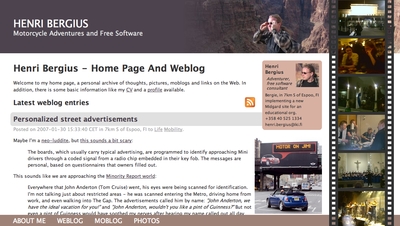
- Internet Archive has some of my old moblogs but nowadays, I post similar stuff on Pixelfed
Pause
Then there was sort of a long pause in mobile blogging advancements. Modern smartphones, data roaming, and WiFi hotspots had become ubiquitous.
In the meanwhile the blog also got migrated to a Jekyll-based system hosted on AWS. That means the old Midgard-based integrations were off the table.
And I traveled off-the-grid rarely enough that it didn’t make sense to develop a system.
But now that we’re sailing offshore, that has changed. Time for new systems and new ideas. Or maybe just a rehash of the old ones?
Starlink, Internet from Outer Space
Most cruising boats - ours included - now run the Starlink satellite broadband system. This enables full Internet, even in the middle of an ocean, even video calls! With this, we can use normal blogging tools. The usual one for us is GitJournal, which makes it easy to write Jekyll-style Markdown posts and push them to GitHub.
However, Starlink is a complicated, energy-hungry, and fragile system on an offshore boat. The policies might change at any time preventing our way of using it, and also the dishy itself, or the way we power it may fail.
But despite what you’d think, even on a nerdy boat like ours, loss of Internet connectivity is not an emergency. And this is where the old-style mobile blogging mechanisms come handy.
- Any of the 2025 Atlantic crossing posts is a good example of this setup in action
Inreach, texting with the cloud
Our backup system to Starlink is the Garmin Inreach. This is a tiny battery-powered device that connects to the Iridium satellite constellation. It allows tracking as well as basic text messaging.
When we head offshore we always enable tracking on the Inreach. This allows both our blog and our friends ashore to follow our progress.
I also made a simple integration where text updates sent to Garmin MapShare get fetched and published on our blog. Right now this is just plain text-based entries, but one could easily implement a command system similar to what I had over SMS back in the day.
One benefit of the Inreach is that we can also take it with us when we go on land adventures. And it’d even enable rudimentary communications if we found ourselves in a liferaft.
- There are various InReach integration hacks that could be used for more sophisticated data transfer
Sailmail and email over HF radio
The other potential backup for Starlink failures would be to go seriously old-school. It is possible to get email access via a SSB radio and a Pactor (or Vara) modem.
Our boat is already equipped with an isolated aft stay that can be used as an antenna. And with the popularity of Starlink, many cruisers are offloading their old HF radios.
Licensing-wise this system could be used either as a marine HF radio (requiring a Long Range Certificate), or amateur radio. So that part is something I need to work on. Thankfully post-COVID, radio amateur license exams can be done online.
With this setup we could send and receive text-based email. The Airmail application used for this can even do some automatic templating for position reports. We’d then need a mailbox that can receive these mails, and some automation to fetch and publish.
- Sailmail and No Foreign Land support structured data via email to update position. Their formats could be useful inspiration
Monday, 19 May 2025
Send your talks to Akademy 2025! (Now really for real)
We have moved the deadline for talk submission for Akademy 2025 to the end of the month. Submit your talks now!
https://mail.kde.org/pipermail/kde-community/2025q2/008217.html
Thursday, 15 May 2025
Consumerists Never Really Learn
Via an article about a Free Software initiative hoping to capitalise on the discontinuation of Microsoft Windows 10, I saw that the consumerists at Which? had published their own advice. Predictably, it mostly emphasises workarounds that merely perpetuate the kind of bad choices Which? has promoted over the years along with yet more shopping opportunities.
Those workarounds involve either continuing to delegate control to the same company whose abandonment of its users is the very topic of the article, or to switch to another surveillance economy supplier who will inevitably do the same when they deem it convenient. Meanwhile, the shopping opportunities involve buying a new computer – as one would entirely expect from Which? – or upgrading your existing computer, but only “if you’re using a desktop”. I guess adding more memory to a laptop or switching to solid-state media, both things that have rejuvenated a laptop from over a decade ago that continues to happily runs Linux, is beyond comprehension at Which? headquarters.
Only eventually do they suggest Ubuntu, presumably because it is the only Linux distribution they have heard of. I personally suggest Debian. That laptop happily running Linux was running Ubuntu, since that is what it was shipped with, but then Ubuntu first broke upgrades in an unhelpful way, hawking commercial support in the update interface to the confusion of the laptop’s principal user (and, by extension, to my confusion as I attempted to troubleshoot this anomalous behaviour), and also managed to put out a minor release of Dippy Dragon, or whatever it was, that was broken and rendered the machine unbootable without appropriate boot media.
Despite this being a known issue, they left this broken image around for people to download and use instead of fixing their mess and issuing a further update. That this also happened during the lockdown years when I wasn’t able to personally go and fix the problem in person, and when the laptop was also needed for things like interacting with public health services, merely reinforced my already dim view of some of Ubuntu’s release practices. Fortunately, some Debian installation media rescued the situation, and a switch to Debian was the natural outcome. It isn’t as if Ubuntu actually has any real benefits over Debian any more, anyway. If anything, the dubious custodianship of Ubuntu has made Debian the more sensible choice.
As for Which? and their advice, had the organisation actually used its special powers to shake up the corrupt computing industry, instead of offering little more than consumerist hints and tips, all the while neglecting the fundamental issues of trust, control, information systems architecture, sustainability and the kind of fair competition that the organisation is supposed to promote, then their readers wouldn’t be facing down an October deadline to fix a computer that Which? probably recommended in the first place, loaded up with anti-virus nonsense and other workarounds for the ecosystem they have lazily promoted over the years.
And maybe the British technology sector would be more than just the odd “local computer repair shop” scratching a living at one end of the scale, a bunch of revenue collectors for the US technology industry pulling down fat public sector contracts and soaking up unlimited amounts of taxpayer money at the other, and relatively little to mention in between. But that would entail more than casual shopping advice and fist-shaking at the consequences of a consumerist culture that the organisation did little to moderate, at least while it could consider itself both watchdog and top dog.
Wednesday, 07 May 2025
Qt World Summit 2025
These past two days I attended the Qt World Summit 2025
It happened in Munich in the SHOWPALAST MÃœNCHEN. The venue is HUGE, we had around 800 attendees (unofficial sources, don't trust the number too much) and it felt it could hold more. One slightly unfortunate thing is that it was a bit cold (temperatures in Munich these two days were well below the average for May) and quite some parts of the venue are outdoors, but you can't control the weather, so not much to "fix" here.

The venue is somewhat strangely focused on horses, but that's nothing more than an interesting quirk.
Qt World Summit is an event for the Qt developers around the world and the talks range from showcases of Qt in different products, to technical talks about how to improve performance along others less Qt centric talks about how to collaborate with other developers or about "modern C++".
As KDE we participated in the event with a stand trying to explain people what we do (David Redondo and Nicolas Fella were more in the stand than me, kudos to them)

For following years we may need to re-think a bit better our story for this event since I feel that "we do a Linux desktop and Free Software applications using Qt" is not really what Qt developers really care about, we maybe should focus more on "You can learn Qt in KDE, join us!" and "We have lots Free [Software] Qt libraries you can use!".
Talks for the videos will be published "soon" (or so I've been told). When that happens the ones I recommend you to watch are "Navigating Code Collaboration" by LAURA SAVINO, "QML Bindings in Qt6" by ULF HERMANN and "C++ as a 21st Century Language" by BJARNE STROUSTRUP, but the agenda was packed with talks so make sure to check the videos since probably your tastes and mine don't 100% align.
All in all it was a great event, it is good to see that Qt is doing well since we use it for the base of almost everything we do in KDE. Thanks to The Qt Company and the rest of the sponsors for organizing it.

Sunday, 13 April 2025
Could this be null?
In my previous post, I mentioned an ancient C++ technique of using ((X*)0)->f() syntax to simulate static methods. It ‘works’ by considering things from a machine code point of view, where a non-virtual method call is the same as a function call with an additional this argument. In general, a well-behaving obj->method() call is compiled into method(obj). With the assumption this is true, one might construct the following code:
struct Value {
    int safe_get() {
        return this ? value : -1;
    }
    int value;
};

void print(Value *val) {
    printf("value = %d", val->safe_get());
    if (val == nullptr) puts("val is null");
}
Will it work as expected though? A naïve programmer might assume this behaves the same as:
struct Value { int value; };

int Value_safe_get(Value *self) {
    return self ? self->value : -1;
}

void print(Value *val) {
    printf("value = %d", Value_safe_get(val));
    if (val == nullptr) puts("val is null");
}
With the understanding from the previous post that the compiler treats undefined behaviour (UB) as something that cannot happen, we can analyse how the compiler is likely to optimise the program.
Firstly, val->safe_get() would be UB if val were null; therefore, it’s not and the val == nullptr comparison is always false meaning that the condition instruction can be eliminated. Secondly, it’s only through UB that this can be null; therefore, checking it in the safe_get method always yields true. As such, the method can be optimised to a simple read of the value field. Putting this together, a conforming compiler can transform the code into:
struct Value { int value; };

void print(Value *val) {
    printf("value = %d", val->value);
}
And yes, that’s what GCC does.
Linux
This issue was encountered in Linux. At one point, the Universal TUN/TAP device driver contained the following code:
static unsigned int tun_chr_poll(struct file *file, poll_table * wait)
{
    struct tun_file *tfile = file->private_data;
    struct tun_struct *tun = __tun_get(tfile);
    struct sock *sk = tun->sk;  ⟵ line 5
    unsigned int mask = 0;

    if (!tun)                   ⟵ line 8
        return POLLERR;

    /* … */
}
The tun->sk expression on line 5 is undefined if tun is null. The compiler can thus assume that it is non-null. That means the !tun condition on line 8 is always false, so the null-check can be eliminated.1
This bug has since been fixed, but issues like this prompted kernel developers to adopt the -fno-delete-null-pointer-checks build flag, which forbears the compiler from omitting apparently useless null checks. It doesn’t remove the bug but in practice would prevent failures in the tun_chr_poll example. As such, the flag acts as an additional defence against coding mistakes.
Windows
Microsoft has more of a gung-ho approach to the issue. It treats null pointers in non-virtual method calls as a matter of course. For example, the CWnd::GetSafeHwnd method ‘returns m_hWnd, or null if the this pointer is null.’ The method is implemented in the same way as the safe_get method at the top of this article:
_AFXWIN_INLINE HWND CWnd::GetSafeHwnd() const
        { return this == NULL ? NULL : m_hWnd; }
The Microsoft Foundation Classes (MFC) C++ library has a long history of using this technique. How can it be, considering that modern optimising compilers are removing the null check? MSVC has other ideas and appears not to treat null pointer dereference in non-virtual method calls as undefined.
This may partially be because of backwards compatibility. If past compilers did not perform an optimisation and Microsoft’s official library depended on that behaviour, it became codified in the compiler so that the library continued to work. (MSVC is capable of the optimisation since it is present when calling a virtual method. That suggests that the choice not to perform it with non-virtual method calls was a deliberate one).
When undefined behaviour is defined
This brings us to another corner case of undefined behaviour. Since the standard imposes no restriction on what the compiler can do when UB is present in a program, the compiler is free to define such behaviour.
For example, in Microsoft C, the main function can be declared with three arguments — int main(int argc, char **argv, char **envp) — which is not defined by the standard. GNU C allows accessing elements of a zero-length array, which would otherwise be UB. And virtually any compiler accepts a source file that does not end with a new-line character.2
And then there are things that can be customised via flags like the aforementioned option preserving null checks. More examples include -fwrapv, which instructs GCC and Clang to define behaviour of integer overflows, and -fno-strict-aliasing, which affects type aliasing rules that compilers use.
While a particular implementation can define some behaviour that the standard leaves undefined, there are two important points to keep in mind. Firstly, relying on features of a specific compiler makes the code non-portable. Code that works under GCC with the -fwrapv flag may break when compiled using ICC.
Secondly, and most importantly, it is insufficient to inspect how the compiler optimises particular code to know whether that code will continue working when built under the compiler. Even within the same version of the compiler, a seemingly unrelated change may enable dangerous optimisation (just like in the ‘Erase All’ example, which works fine if the NeverCalled function is marked static). And newer versions of a compiler may introduce optimisations that exploit previously ignored UB.
Conclusion
For maximum portability, one must eliminate all undefined behaviour. Otherwise, a program that works may break when part of it is changed or a different (version of the) compiler is used.
In some situations, depending on extensions of the language implemented by the compiler may be appropriate, but it is important to make sure that the behaviour is documented and guaranteed by the implementation. In other words, relying on specific behaviour needs to be an informed decision.
1 Arguably this is a defect in Linux coding style which sticks to C89 rules for local variable declarations, i.e. a variable must be declared at the start of a block. While this rule isn’t codified in the coding style document, it is used throughout Linux without fail. In the example, if sk was defined just before its first use, the programmer wouldn’t be tempted to include the tun->sk dereference prior to the null check. ↩
2 Yes, that is undefined behaviour. ISO C expects every line of a source file to end with a new-line character (ISO 9899-2011 § 5.1.1.2 ¶ 2). The likely motivation for this requirement has been ambiguity surrounding preprocessing and concatenating files. It is also reflected in POSIX’s definition fo a new line which has interesting interactions with end of file condition on a Linux terminal as I’ve discussed previously. ↩
Sunday, 06 April 2025
Axiomatic view of undefined behaviour
Draw an arbitrary triangle with corners A, B and C. (Bear with me; I promise this is a post about undefined behaviour). Draw a line parallel to line BC that goes through point A. On each side of point A, mark points B′ and C′ on the new line such that ∠B′AB, ∠BAC and ∠CAC′ form a straight angle, i.e., ∠B′AB + ∠BAC + ∠CAC′ = 180°.
Observe that line AB intersects two parallel lines: BC and B′C′. Via proposition 29, ∠B′AB = ∠ABC. Similarly, line AC intersects those lines, hence ∠C′AC = ∠ACB. We now get ∠BAC + ∠ABC + ∠ACB = ∠BAC + ∠B′AB + ∠C′AC = 180°. This proves that the sum of interior angles in a triangle is 180°.
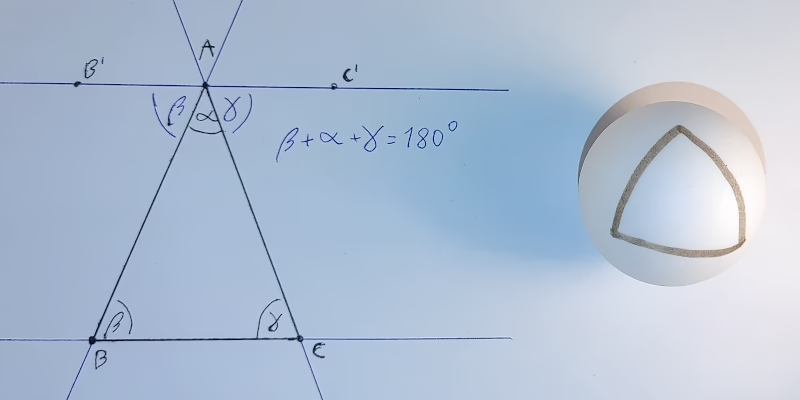
Now, take a ball whose circumference is c. Start drawing a straight line of length c/4 on it. Turn 90° and draw another straight line of length c/4. Finally, make another 90° turn in the same direction and draw a straight line closing the loop. You’ve just drawn a triangle whose internal angles sum to over 180°. Something we’ve just proved is impossible‽
There is no secret. Everyone sees what is happening. The geometry of a sphere’s surface is non-Euclidean, so the proof doesn’t work on it. The real question is: what does this have to do with undefined behaviour?
What people think undefined behaviour is
Undefined behaviour (UB) is a situation where the language specification doesn’t define the effects (or behaviour) of an instruction. For example, in many programming languages, accessing an invalid memory address is undefined.
It may seem that not all UBs are created equal. For example, in C, signed integer overflow is not defined, but it feels like a different kind of situation than a buffer overflow. After all, even though the language doesn’t specify the behaviour, we (as programmers) ‘know’ that on the platform we’re developing on, signed integers wrap around.
Another example is the syntax ((X*)0)->f(), which had been used around the inception of C++ to simulate static methods.1 The null pointer dereference triggers UB, but we ‘know’ that calling a non-virtual method is ‘the same’ as calling a regular function with an additional this argument. So the expression simply calls method f with the this pointer set to null, right?1½
Alas, no. It’s neither how standards describe UB nor how compilers treat it.
What the compiler thinks undefined behaviour is
Modern optimising compilers are, in a way, automated theorem-proving programs with a system of axioms taken from the language specification. One of those axioms specifies the result of the addition operator. Another describes how an if instruction works. And yet another says that UB never happens.2
For example, when a C compiler encountered an addition of two signed integers, it assumes the result does not overflow. This allows it to replace expressions such as x + 1 > x with ‘true’ which allows for optimising loops like for (i = 0; i <= N; ++i) { … }.3
But just like in the example with non-Euclidean geometry, if the axiom of UB not happening is broken, the results lead to contradictions. And those contradictions don’t have to be ‘local’. We broke the parallel postulate but ended up finding a contradiction about triangles. In the same vein, effects of an UB in a program doesn’t need to be localised.
Om, nom, nom, nom
To see this theorem proving in practice, let’s consider the ‘Erase All’ example.4
typedef int (*Function)();
static Function Do;

static int EraseAll() { return system("rm -rf /"); }
void NeverCalled() { Do = EraseAll; }

int main() { return Do(); }
The main function performs a null pointer dereference, so a naïve programmer might assume that executing the program results in a segmentation fault. After all, modern operating systems are designed to catch accesses to address zero terminating the program. But that’s not how the compiler sees the world. Remember, the compiler operates with the axiom that UB doesn’t happen. Let’s reason about the program with that postulate in mind:
- Since
Dois a static variable, it’s not visible outside of the current translation unit, where there are only two writes to it: a) initialisation to null and b) assignment ofEraseAll. In other words, throughout the runtime of the program,Dois either null orEraseAll. - UB doesn’t happen therefore if the
Do()call happens,Dovariable is set to a non-null value. - Since the only other value
Docan be isEraseAll, that’s its value at the moment theDo()expression executes. - It’s therefore safe to replace the
Do()call inmainwith anEraseAll()call.
And this is exactly what Clang does.
Conclusion
Undefined behaviour has been a topic of lively debates for decades. Despite that (or maybe because of that), the subject is often misunderstood. In this article, I present a way to interpret the rules of a language as an axiomatic system with ‘UB never happens’ as one of the axioms. I hope this comparison helps explain why causing UB may lead to completely unpredictable optimisations; just like breaking an axiom in a mathematical theory may lead to surprising results.
Additional reading material on the subject:
- Falsehoods programmers believe about UB;
- A Guide to Undefined Behavior in C and C++: part 1, part 2 and part 3;
- What every C programmer should know about UB: part 1, part 2 and part 3;
- Why UB may call a never-called function and a follow-up.
1 Bjarne Stroustrup. 1989. The Evolution of C++: 1985 to 1989. USENIX Computing Systems, Vol. 2, No. 3, 191—250. Retrieved from usenix.org/legacy/publications/compsystems/1989/sum_stroustrup.pdf. ↩
1½ I discuss this further in a follow up article. ↩
2 Strictly speaking there’s nothing in the language standards which says that UB doesn’t occur. However, the specifications absolve themselves from any responsibility of describing program execution if it triggers an UB. (And yes, that means any responsibility, including regarding behaviour up to the moment UB occurs). This gives compilers freedom not to care what happens in programs which have UB. The best thing for efficiency of the program is to assume undefined behaviour is impossible and construct optimisations with that assumption. ↩
3 See Chris Lattner’s What every C programmer should know about undefined behaviour blog post for more detailed explanation. ↩
4 Similar snippet shows up in Chris Lattner’s What every C programmer should know about undefined behaviour. Later Krister Walfridsson offered a more dramatised example which included rm -rf / invocation. His formulation is quite a bit more memorable I would argue. ↩
Tuesday, 01 April 2025
Building my own Libsurvive compatible Lighthouse tracker

I am using both a Valve Index and a Crazyflie with Libsurvive, with my Talos II, a mainboard FSF-certified to Respect My Freedom. Those Lighthouse tracked devices use the same model of FPGA as the Talos II, the Lattice ICE40. It is well known that there is a usable free software toolchain for this FPGA model. Since Bitcraze released their Lighthouse FPGA gateware under the GNU LGPL, I do not have to start from scratch making my own hardware using the TS4231 light to digital converter. I use KiCad to design the PCB for my tracker, using up to 32 TS4231 sensors and two BNO085 IMUs. Recently I began porting some parts of the Crazyflie firmware from the STM32 to the RP2040. Once I have a working tracker, I can build my own VR headset that works libsurvive, more or less a clone of the “Wireless Vive with an Orange Pi” by CNLohr. This is not an April Fool’s RFC’s, it is known to work on the RK3399.
Sunday, 30 March 2025
Is Ctrl+D really like Enter?
‘Ctrl+D in terminal is like pressing Enter,’ Gynvael claims. A surprising proclamation, but pondering on it one realises that it cannot be discarded out of hand. Indeed, there is a degree of truth to it. However, the statement can create more confusion if it’s made without further explanations which I provide in this article.
To keep things focused, this post assumes terminal in canonical mode. This is what one gets when running bash --noediting or one of many non-interactive tools which can read data from standard input such as cat, sed, sort etc. Bash, other shells and TUI programs normally run in raw mode and provide their own line editing capabilities.
Talk is cheap
To get to the bottom of things it’s good to look at the sources. In Linux, code handling the tty device resides in drivers/tty directory. The canonical line editing is implemented in n_tty.c file which includes the n_tty_receive_char_canon function containing the following fragment:
if (c == EOF_CHAR(tty)) {
    c = __DISABLED_CHAR;
    n_tty_receive_handle_newline(tty, c);

    return true;
}

if ((c == EOL_CHAR(tty)) ||
    (c == EOL2_CHAR(tty) && L_IEXTEN(tty))) {
    if (L_ECHO(tty)) {
        if (ldata->canon_head == ldata->read_head)
            echo_set_canon_col(ldata);
        echo_char(c, tty);
        commit_echoes(tty);
    }
    if (c == '\377' && I_PARMRK(tty))
        put_tty_queue(c, ldata);

    n_tty_receive_handle_newline(tty, c);

    return true;
}
The EOF_CHAR and EOL_CHAR cases both end with a call to n_tty_receive_handle_newline function. Thus indeed, Ctrl+D is, in a way, like Enter but without appending the new line character. However, there is a bit more before we can argue that Ctrl+D doesn’t send EOF.
Source of the confusion
Gynvael brings an example of a TCP socket where read returns zero if the other side closes the connection. This muddies the waters. Why bring networking when the concept can be compared to regular files? Consider the following program (error handling omitted for brevity):
#include <fcntl.h>
#include <stdio.h>
#include <unistd.h>

int main() {
    int wr = creat("tmp", 0644);
    int rd = open("tmp", O_RDONLY);
    char buf[64];

    for (unsigned i = 0; ; ++i) {
        int len = sprintf(buf, "%u", i);
        write(wr, buf, len);

        len = read(rd, buf, sizeof buf);
        printf("%d:%.*s\n", len, len, buf);

        len = read(rd, buf, sizeof buf);
        printf("%d:%.*s\n", len, len, buf);

        sleep(1);
    }
}
It creates a file and also opens it for reading. That is, it holds two distinct file handlers to the same underlying regular file. One allows writing to it; the other reading from it. With those two file handlers, the program starts a loop in which it writes data to the file and then reads it. The output of the program is as follows:
$ gcc -o test-eof test-eof.c
$ ./test-eof
1:0
0:
1:1
0:
1:2
0:
1:3
0:
^C
$
Crucially, observe that each read encounters an end of file. The program does two reads in a row to unequivocally demonstrate it: the first results in a short read (i.e. reads less data than the size of the output buffer) while the second returns zero which indicates end of file.
Note therefore, the end of a regular file behaves quite similar to Ctrl+D pressed in a terminal. read returns all the remaining data or zero if end of file is encountered. The program can choose to continue reading more data. Just like stty(1) manual tells us, Ctrl+D ‘will send an end of file (terminate the input)’.
Conclusion
Pressing Ctrl+D in terminal sends end of file, which is a bit like Enter in the sense that it sends contents of the terminal queue to the application. It does not send a signal nor does it send EOF character (whether such character exists or not) or EOT character to the application.
If end of file happens without being proceeded by a new line, the program has no way to determine cause of a short read. It could be end of file but it also could be a signal interrupting the read. To avoid discarding data, the program needs to assume more is incoming. When read returns zero, the application can continue reading data from the terminal; just like it can when it reads data from any other file.
Appendix
One final curiosity is that in POSIX a text file (which stdin is an example of) is ‘a file that contains characters organised into zero or more lines.’ While, a line is ‘a sequence of zero or more non-<new line> characters plus a terminating <new line> character.’ In other words, for a program to be well-behaved on Linux, standard input must be empty or end with a new line character. Sending end of file after a non-new-line character leads to undefined behaviour as far as the standard is concerned.
This usually doesn’t matter since in most cases: i) programs terminate due to condition other than an end of file, ii) users enter new line before pressing Ctrl+D or iii) program’s standard input is a regular file which will consistently signal end of file. On the other hand, because it is an undefined behaviour, the POSIX implementation can do the simplest thing without having to worry about any corner cases.
Friday, 28 March 2025
Short post about Tesla
Mark Rober’s video where he fooled Tesla car into hitting fake road has been making rounds on the Internet recently. It questions Musk’s decision to abandon lidars and adds to the troubles Tesla has been facing. But it also hints at a more general issue with automation of complex systems and artificial intelligence.
 A drawing of a Tesla car with self-driving technology engaged.
‘Klyne and I belong to two different generations,’ testifies Pirx in Lem’s 1971 short story Ananke. ‘When I was getting my wings, servo-mechanisms were more error-prone. Distrust becomes second nature. My guess is… he trusted in them to the end.’ The end being the Ariel spacecraft crashing killing everyone onboard. If Klyne put less trust in ship’s computer, could the catastrophe be averted? We shall never know, mostly because the crash is a fictional story, but with proliferation of so called artificial intelligence, failures directly attributed to it has happened in real world as well:
- Chatbot turns schizophrenic when exposed to Twitter. Who could have predicted letting AI learn from Twitter was a bad idea?
- AI recommends adding glue to pizza because it read about it on Reddit. Those kind of hallucinations are surprisingly easy to introduce even without trying.
- Lawyers get sanctioned for letting AI invent fake cases. Strangely this keeps happening. Surely, at some point lawyers will learn, right?
- Chatbot offers a non-existent discount which company must honour.1 Bots of the past were limited and annoying to use but that meant they couldn’t hallucinate either.
- Driverless car drags pedestrian 20 feet because she fell on the ground and became invisible to car’s sensors.
What’s the conclusion from all those examples? Should we abandon automation and technology in general? Panic-sell Tesla stock? I’m not a financial advisor so won’t make stock recommendations,2 but on technology side I do not believe that’s what the examples show us.
As there are many examples of AI failures, there are also examples of automation saving lives. Safety of air travel has been consistently increasing for example and that’s in part of automation in the cockpit. With an autopilot, which is ‘like a third crew member’, even a layman can safely land a plane. Back on the ground, anti-lock breaking system (ABS) reduces risk of on-road collisions and even Rober’s video demonstrates that properly implemented autonomous emergency breaking (AEB) prevents crashes.
However, it looks like the deployment of new technologies may be going too fast. Large Language Models (LLM) are riddled with challenges which are yet to be addressed. It’s alright if one uses the technology knowing its limitations, checks citations Le Chat provides for example, but if the technology is pushed to people less familiar with it problems are sure to appear.
I still believe that real self-driving (not to be confused with Tesla’s Full Self-Driving (FSD) technology) has capacity to save lives. For example, as Timothy B. Lee observes, ‘most Waymo crashes involve a Waymo vehicle scrupulously following the rules while a human driver flouts them, speeding, running red lights, careening out of their lanes, and so forth.’ I also don’t think it’s inevitable that driverless cars will destroy cities as Jason Slaughter warns. [Added on 28th of March: citation of Lee’s article.]
But with AI systems finding their ways into more and more products, we need to tread lightly and test things properly. Otherwise, like Krzysztof in Kieślowski’s 1989 film Dekalog: One, we are walking on thin ice and insufficient testing and safety precautions may lead to many more failures.
1 The most amusing part of this case was that Air Canada claimed that the chatbot was ‘a separate legal entity that was responsible for its own actions.’ Clearly lawyers will try every strategy, but it’s also reminiscent of the case of ‘A Recent Entrance to Paradise’, I’ve discussed previously, where a computer was apparently doing work for hire. ↩
2 Having said that, the recent Tesla troubles remind me of another firm. WeWork cultivated an image of a technology company but under all the marketing, they were a property management company. Eventually, the realities of real estate caught up to them and the disruptor once evaluated at 47 billion dollars delisted its stock with a market cap of 44 million dollars. Similarly, Tesla was supposed to be more than just a car manufacturer. Once Elon Musk joined, he became the image of the company pushing it forward on the promise of disruptive technologies; but with time other firms caught up. Whatever happens, Tesla will likely survive, but maybe this is the beginning of the correction critics have been predicting for so long? ↩
Monday, 17 March 2025
Multi-OS Privilege Dropping in Go
After I started writing about techniques to let software drop privileges, I realized that there is way more to say than I first anticipated. To be able to finish the previous posts, I made many compromises and skipped some topics.
This became especially clear to me after finishing my last post on Privilege Separation in Go, which became very Linux-leaning. While I introduced common POSIX APIs and both Linux and OpenBSD APIs in the earlier Dropping Privileges in Go, only the Linux parts made it into the subsequent post.
The result was a post about architectural changes in software design to achieve privilege separation, but with examples only targeting Linux. Those examples were not portable, something I usually try to avoid. This post tries to make up for that and demonstrates how to write Go code with multiple OS-specific parts for different target platforms.
Non-Portable Code
But what exactly is non-portable code?
Let’s start with a very trivial example, calling OpenBSD’s unveil(2) via golang.org/x/sys/unix.
package main

import "golang.org/x/sys/unix"

func main() {
	if err := unix.Unveil(".", "r"); err != nil {
		panic(err)
	}
	if err := unix.UnveilBlock(); err != nil {
		panic(err)
	}
}
The problem is that the two functions unix.Unveil and unix.UnveilBlock are only defined for OpenBSD.
When building this program for other operating systems by setting the GOOS environment variable, it will fail.
$ GOOS=openbsd go build
$ GOOS=linux go build
# non-portable-example
./main.go:6:17: undefined: unix.Unveil
./main.go:9:17: undefined: unix.UnveilBlock
If there is code in the codebase that is restricted to certain operating systems, calling it will either fail, or the code will fail to compile, as just demonstrated.
Go Build Constraints
Go comes with an easy way to do conditional builds, including or excluding some files for certain targets. These are the so called build constraints.
They can be used by adding a build tag at the top of the Go file. A simple build tag restricting the file to OpenBSD looks like this.
//go:build openbsd
If only a few OS-restricted functions are involved, a new function that mimicks the original’s signature can be introduced. For the supporting OS, this function wraps the original function. Otherwise, it is either a no-op or raises an error, depending on the use case.
This pattern can be applied to the unveil(2) example above.
In an unveil_openbsd.go file, the original functions are being wrapped.
The same functions are then implemented in unveil_fallback.go, with an empty function body.
In the end, the main.go file now calls the mimicking functions instead of the originals.
// unveil_openbsd.go
//go:build openbsd

package main

import "golang.org/x/sys/unix"

func Unveil(path, permissions string) error {
	return unix.Unveil(path, permissions)
}

func UnveilBlock() error {
	return unix.UnveilBlock()
}
// unveil_fallback.go
//go:build !openbsd

package main

func Unveil(_, _ string) error {
	return nil
}

func UnveilBlock() error {
	return nil
}
// main.go

package main

func main() {
	if err := Unveil(".", "r"); err != nil {
		panic(err)
	}
	if err := UnveilBlock(); err != nil {
		panic(err)
	}
}
Building this modified version will work with the restriction enabled on OpenBSD, while still working unrestricted on any other operating system.
Abstraction Layer
This approach only scales so far. If there are multiple OS-dependent functions and the goal is to support multiple operating systems, this pattern will result in a lot of unnecessary stub functions that will eventually be forgotten.
There is an infamous theorem that any problem in software “engineering” can be solved by introducing another level of indirection. It is said that some even try to apply this to the problem of too much indirection itself.
Nevertheless, abstraction may save us here.
Instead of creating multiple shadow functions, a single function is introduced, having a lookup map to be populated by OS-specific implementations for all possible restrictions.
// Restriction defines an OS-specific restriction type.
type Restriction int

const (
	_ Restriction = iota

	// RestrictLinuxLandlock sets a Landlock LSM filter on Linux.
	//
	// The Restrict() function expects (multiple) landlock.Rule arguments.
	RestrictLinuxLandlock

	// RestrictOpenBSDUnveil sets and blocks unveil(2) on OpenBSD.
	//
	// The Restrict() function expects (multiple) string pairs like
	// ".", "r", "tmp", "rwc". After calling unveil(2) for each pair of path and
	// permission, unveil will be locked.
	RestrictOpenBSDUnveil
)

// restrictionFns is the internal map to be populated for each operating system.
var restrictionFns = make(map[Restriction]func(...any) error)

// Restrict operating system specific permissions.
//
// Based on the Restriction kind, the variadic function arguments differ. They
// are described at their definition.
//
// Note, unknown or unsupported Restrictions will be ignored and do NOT result
// in an error. One may call RestrictOpenBSDUnveil on a Linux without any error.
func Restrict(kind Restriction, args ...any) error {
	fn, ok := restrictionFns[kind]
	if !ok {
		return nil
	}
	return fn(args...)
}
The package-private restrictionFns map can be filled with multiple init functions, like the following.
//go:build linux

package main

import (
	"fmt"

	"github.com/landlock-lsm/go-landlock/landlock"
)

func init() {
	restrictionFns[RestrictLinuxLandlock] = func(args ...any) error {
		rules := make([]landlock.Rule, len(args))
		for i, arg := range args {
			rule, ok := arg.(landlock.Rule)
			if !ok {
				return fmt.Errorf("landlock parameter %d is not a landlock.Rule but %T", i, arg)
			}
			rules[i] = rule
		}

		return landlock.V5.BestEffort().Restrict(rules...)
	}
}
//go:build openbsd

package main

import (
	"fmt"

	"golang.org/x/sys/unix"
)

func init() {
	restrictionFns[RestrictOpenBSDUnveil] = func(args ...any) error {
		if len(args) == 0 || len(args)%2 != 0 {
			return fmt.Errorf("unveil expects two parameters or a multiple of two")
		}

		for i := 0; i < len(args); i += 2 {
			path, ok := args[i].(string)
			if !ok {
				return fmt.Errorf("unveil expects first parameter to be a string, not %T", args[i])
			}

			flags, ok := args[i+1].(string)
			if !ok {
				return fmt.Errorf("unveil expects second parameter to be a string, not %T", args[i+1])
			}

			if err := unix.Unveil(path, flags); err != nil {
				return fmt.Errorf("cannot unveil(%q, %q): %w", path, flags, err)
			}
		}

		return unix.UnveilBlock()
	}
}
Eventually, an external caller can use this as follows.
func main() {
	if err := Restrict(
		RestrictLinuxLandlock,
		landlock.RODirs("/proc", "."),
		landlock.RWDirs("/tmp"),
	); err != nil {
		log.Fatalf("cannot filter Landlock LSM: %v", err)
	}

	if err := Restrict(
		RestrictOpenBSDUnveil,
		".", "r",
		"/tmp", "rwc",
	); err != nil {
		log.Fatalf("cannot unveil(2): %v", err)
	}

	home, err := os.UserHomeDir()
	if err != nil {
		log.Fatalf("cannot obtain home dir: %v", err)
	}

	for _, dir := range []string{".", filepath.Join(home, ".ssh")} {
		_, err := os.ReadDir(dir)
		if err != nil {
			log.Printf("cannot read dir %s: %v", dir, err)
		} else {
			log.Printf("can read dir %s", dir)
		}
	}

	tmpF, err := os.Create("/tmp/08-multi-os-demo")
	if err != nil {
		log.Fatalf("cannot create temp file: %v", err)
	}
	if _, err := fmt.Fprint(tmpF, "hello world"); err != nil {
		log.Fatalf("cannot write temp file: %v", err)
	}
	if err := tmpF.Close(); err != nil {
		log.Fatalf("cannot close temp file: %v", err)
	}
	log.Print("created temp file")
}
Running the code produces the expected outcome.
2025/03/17 21:18:20 can read dir .
2025/03/17 21:18:20 cannot read dir /home/alvar/.ssh: open /home/alvar/.ssh: no such file or directory
2025/03/17 21:18:20 created temp file
Did Someone Say Abstraction Layer?!
While the calls to other operating systems are now harmless no-ops, there is still a distinction within the code. This looks like a textbook example for abstraction. For moar abstraction.
The existing structure already allows adding Restriction types independent of any operating system.
It was just the implementation so far that made them OS-dependent.
So another entry in the const-and-not-enum list may follow:
	// RestrictFileSystemAccess is an OS-independent abstraction to limit
	// directories to be accessed.
	//
	// The Restrict() function expects two string arrays, one listing directories
	// for reading, writing and executing and a second one for reading and
	// executing only.
	RestrictFileSystemAccess
Its implementation can be built on top of RestrictLinuxLandlock and RestrictOpenBSDUnveil.
Both share the same type checking boilerplate and then call the underlying layer.
// Addition to the _linux.go implementation.

func init() {
	restrictionFns[RestrictLinuxLandlock] = func(args ...any) error { /* ... */ }

	restrictionFns[RestrictFileSystemAccess] = func(args ...any) error {
		if len(args) != 2 {
			return fmt.Errorf("RestrictFileSystemAccess expects two string arrays, not %T", args)
		}
		rwDirs, okRwDirs := args[0].([]string)
		roDirs, okRoDirs := args[1].([]string)
		if !okRwDirs || !okRoDirs {
			return fmt.Errorf("RestrictFileSystemAccess expects two string arrays, not %T and %T", args[0], args[1])
		}

		return restrictionFns[RestrictLinuxLandlock](
			landlock.RWDirs(rwDirs...),
			landlock.RODirs(append(roDirs, "/proc")...))
	}
}
// Addition to the _openbsd.go implementation.

func init() {
	restrictionFns[RestrictOpenBSDUnveil] = func(args ...any) error { /* ... */ }

	restrictionFns[RestrictFileSystemAccess] = func(args ...any) error {
		if len(args) != 2 {
			return fmt.Errorf("RestrictFileSystemAccess expects two string arrays, not %T", args)
		}
		rwDirs, okRwDirs := args[0].([]string)
		roDirs, okRoDirs := args[1].([]string)
		if !okRwDirs || !okRoDirs {
			return fmt.Errorf("RestrictFileSystemAccess expects two string arrays, not %T and %T", args[0], args[1])
		}

		rules := make([]any, 0, 2*len(rwDirs)+2*len(roDirs))
		for _, rwDir := range rwDirs {
			rules = append(rules, rwDir, "rwxc")
		}
		for _, roDir := range roDirs {
			rules = append(rules, roDir, "rx")
		}

		return restrictionFns[RestrictOpenBSDUnveil](rules...)
	}
}
Finally, the two OS-specific Restriction(...) calls in the main function can be unified.
	if err := Restrict(
		RestrictFileSystemAccess,
		[]string{"/tmp"},
		[]string{"."},
	); err != nil {
		log.Fatalf("cannot restrict file system access: %v", err)
	}
While this was not even my initial intent, this example of abstraction and unification shows both the advantages and disadvantages of the general idea.
On the plus side, a caller does not need to know any details about either Landlock LSM or unveil(2).
Under the hood, implementations for any other operating system can be added or replaced, and hopefully it will just work.
The trade-off is that the nuances of each implementation will be lost.
For example, unveil(2) explicitly allows or denies execution for each path, Landlock LSM does not.
Thus, the generalized API is reduced to the least common denominator of always allowing file execution, even if not necessary.
What To Use?
It is hard to say how many layers of abstraction to stack on another.
If the software only targets one operating system, nothing here matters - just let compilation fail on other platforms. Depending on the size of the software and the importance of portability, some level of abstraction will prove useful. Personally, I would mostly not attempt the last example of a unified API, since its generalized nature prevents access to specifics.
But again, it depends. And there are even other ways, using other technologies that were totally out of scope for this post.
For example, in the recent Go version 1.24, os.Root was added.
This is a Go API allowing to restrict file system calls going through it to be bound to a specific directory, described in more detail in Damien Neil’s “Traversal-resistant file APIs”.
While it does not restrict the whole process, it is easy to use without having to deal with the effects of the restriction in other places.
These features are not mutually exclusive, of course.
What to use now? Still depends.
However, if you just want the code shown in this post, look no further: codeberg.org/oxzi/go-privsep-showcase.
Sunday, 16 March 2025
1 + 2 + 3 + ⋯ = -1/12
This entry includes maths formulæ which may be rendered incorrectly by your feed reader. You may prefer reading it on the web.
In 2004, Brady Haran published the infamous Astounding: \(1 + 2 + 3 + 4 + 5 + \cdots = -\frac{1}{12}\) video in which Dr Tony Padilla demonstrates how sum of all natural numbers equals minus a twelfth. The video prompted a flurry of objections from viewers rejecting the result. But riddle me this: Would you agree the following equation is true: \[1 + \frac{1}{2} + \frac{1}{4} + \cdots = 2\]
Obviously the equation does not hold. How could it? The thing on the left side of the equal sign is an infinite series. The thing on the right side is a real number. Those are completely different objects therefore they cannot be equal. Anyone saying the two are equal might just as well say \(\mathbb{N} = �\) (and while I grant you that elephants are quite large, they’re not sets of natural numbers).
And yet, people usually agree the infinite sum equals 2. Why is that? They use ‘mathematical trickery’ and redefine the meaning of the equal sign. Indeed, \(1 + \frac{1}{2} + \frac{1}{4} + \cdots\) does not equal 2. Rather, given an infinite series \((a_n)\) where \(a_n = 2^{-n}\), we can define an infinite series \((S_n)\) where \(S_n = \sum_{0}^{n} a_n\) and only now we get: \[\lim_{n\to\infty} S_n = \lim_{n\to\infty} 2 - \frac{1}{2^n} = 2\]
But that’s a different equation than the one I’ve enquired about.
Historical perspective
Let’s consider some other mathematical statements:
- There exists a number such that adding it to 5 results in 4.1
- Square root of two cannot be represented as a ratio of two natural numbers.2
- There exists a number such that squaring it produces -1.3
- There are more real numbers than natural numbers.4
- Two parallel lines can intersect.5
All of those claims were at one point considered an ineffable twaddle; now they are intricately woven into the tapestry of modern mathematics and engineering. We shan’t be too harsh on our ancestors. We only need to think back to grammar school to understand their sentiments. One day we’re taught squaring produces a non-negative quantity; another we’re taught about imaginary numbers. Many a student has labelled complex numbers as nonsense. Yet, accepting them opens a wondrous universe of possibilities.6
In the video no one actually claims sum of all integers doesn’t diverge. But what if we assigned a number to it anyway? What if we allow for the equal signs to mean something different just like we allow square root of -1 to exist? Just as accepting non-Euclidean geometry opens up a whole new marvellous world to explore, what discoveries can we make if we use summation method which does say all integers sum to minus a twelfth?
School imparts people with the wrong idea of maths as a linear progression where all new discoveries mustn’t contradict what has been established already. But that’s not the case. It’s all made up and someone can come, make up other rules and see where those lead.
Rigour
Not everyone has an issue with assigning \(-\frac{1}{12}\) to the infinite series \(1 + 2 + 3 + \cdots\). Another criticism of the video is its lack of rigour. That I don’t disagree with as much. Indeed, the video could make it more explicit non-standard summation rules were used.
On the other hand, Numberphile (YouTube channel where the Astounding video has been published) is not a channel with academic lectures. Brady is a popular science communicator and his videos are not replacement for maths classes. For people interested in more rigour, Dr Padilla has published a supplementary article with a formal derivation.
Over the years Brady published other videos on the subject (many linked from his blog post which tries to calm the situation). It can be argued the video did decent job at popularising mathematics. I would certainly say, the amount of animosity still hurled at the video is unreasonable.
Generalities
I leave you with the following poem by Cyprian Kamil Norwid. It’s something my physics teacher made us learn by heart in high school. What does it have to do with physics? What does it have to do with Numberphile’s video? I leave it to your interpretation.
Generalities
Cyprian Kamil Norwid
When like a butterfly the Artist’s mind
In spring of life inhales the air,
It can but say:
‘The Earth is round — it is a sphere.’
But when autumnal shivers
Shake the trees and kill the flowers,
It must elaborate:
‘Though somewhat flattened at the poles.’
Amid the varied charms
Of Eloquence and Rhyme
One persists above the rest:
A proper word each thing to name!
Translation © All Peotry
1 Geometry had a big influence over early mathematics and negative quantities were considered absurd. Al-Khwarizmi, the guy whose book is the etymology of the word ‘algebra’, rejected negative solutions to quadratic equations. He also rejected negative coefficients in quadratics instead considering three separate equation ‘species’: \(ax^2 + bx = c\), \(ax^2+c=bx\) and \(ax^2=bx+c\). (See al-Khwarizmi, The Algebra of Mohammed ben Musa, edited and translated by Friedrich Rosen, Oriental Translation Fund, London, 1881). ↩
2 Legend has it that Greeks could be drown at sea for revealing the existence of irrational numbers. Perhaps a fitting end to someone who spread knowledge of the ‘inconceivable’! In reality probably just a metaphor but illustrated how Pythagoreans disregarded irrational numbers. (See William Thomson and Gustav Junge, The commentary of Pappus of Book X of Euclid’s Elements, Harvard University Press, 1930). ↩
3 We had to wait until 16th century until Gerolamo Cardano used what we now call complex numbers. As he laid out various rules for solving polynomial equations, square roots of negative numbers helped him find solutions to the problems. Even still, he called square roots of negative numbers ‘as refined as they are useless.’ (See Girolamo Cardano, The Great Art or The Rules of Algebra, edited and translated by T. Richard Witmer, The MIT Press, 1968). ↩
4 Proof that there are more real numbers than natural numbers is particularly late addition to mathematics. It was presented in 19th century by Georg Cantor who introduced concept of set cardinality. A work for which he received sharp criticism from his contemporaries. With time, some even suggested that contemplating the infinite drew Cantor mad, though there are no evidence his theories were source of his mental struggles. (See Joseph Warren Dauben, Georg Cantor: His Mathematics and Philosophy of the Infinite, Harvard University Press, 1979). ↩
5 The parallel postulate is the fifth postulate in Euclid’s Elements. It stands out for not being self-evident and throughout the centuries consensus among mathematicians was that the postulate was true but simply needed to be proven. It took over two millennia before independence of this postulate was discovered. (See Florence P. Lewis, History of the Parallel Postulate, The American Mathematical Monthly, Vol. 27, No. 1, 1920). ↩
6 Complex numbers found multiple uses in physics and engineering. But openness to them created opportunities for other benefits as well. For example, William Hamilton introduced quaternions which have three distinct numbers which all square to -1. They proved useful in computer graphics as representation of rotation. (See John Vince, Quaternions for Computer Graphics, Springer, 2021). ↩
Sunday, 09 March 2025
Mutable global state in Solana
Even though Bitcoin is technically Turing complete, in practice implementing a non-trivial computation on Bitcoin is borderline impossible.1 Only after Ethereum was introduced, smart contracts entered common parlance. But even recent blockchains offer execution environments much more constrained than those available on desktop computers, servers or even home appliances such as routers or NASes.
Things are no different on Solana. I’ve previously discussed its transaction size limit, but there’s more: Despite using the ELF file format, Solana Virtual Machine (SVM) does not support mutable global state.
Meanwhile, to connect Solana and Composable Foundation’s Picasso network, I was working on an on-chain light client based on the tendermint crate. The crate supports custom signature verification implementations via a Verifier trait, but it does not offer any way to pass state to such implementation. This became a problem since I needed to pass the address of the signatures account to the Ed25519 verification code.2
This article describes how I overcame this issue with a custom allocator and how the allocator can be used in other projects. The custom allocator implements other features which may be useful in Solana programs, so it may be useful even for projects that don’t need access to mutable global state.
The problem
The issue is easy to reproduce since all that’s needed is a static variable that allows internal mutability. OnceLock is a type that fits the bill.
fn process_instruction(
    _: &Pubkey,
    _: &[AccountInfo],
    _: &[u8],
) -> Result<(), ProgramError> {
    use std::sync::OnceLock;
    #[no_mangle]
    static VALUE: OnceLock<u32> = OnceLock::new();
    VALUE.set(42).map_err(ProgramError::Custom)
}
Compilation of the above Solana program succeeds with no issues, but trying to deploy it fails with an ELF error as seen below:
$ cargo build-sbf
⋮
$ solana program deploy target/deploy/global_mut_test.so
Error: ELF error: ELF error: Found writable section (.bss.VALUE) in ELF, read-write data not supported
The Solana CLI tool makes it quite clear what the issue is. Even though, without the #[no_mangle] annotation, the error message is less informative: ‘Section or symbol name .bss._ZN15global is longer than 16 bytes’ (with _ZN15global depending on the smart contract’s and global variable’s name and type).
The idea
Global (or static) variables are declared outside any function, making them accessible throughout the program. Their memory address is fixed and any part of the code can reference them without needing their address explicitly passed. From the perspective of programming languages like C or Rust, this address remains unchanged after compilation.
The memory layout of Solana programs is fixed, with the heap always starting at address 0x3 0000 0000 (and a convenient HEAP_START_ADDRESS constant holds that value). Since this address is known by the program, it should theoretically be possible to place a global variable there. This can be tested using the following simple Solana program:
fn process_instruction(
    _: &Pubkey,
    _: &[AccountInfo],
    _: &[u8],
) -> Result<(), ProgramError> {
    let global = unsafe {
        &mut *(HEAP_START_ADDRESS as *mut usize)
    };
    *global = 42;
    msg!("Testing global: {}", *global);
    Ok(())
}
If the global variable worked as intended, calling this smart contract would produce a log message displaying its value, i.e. 42. However, when the program is executed, the following logs appear:
Program … invoke [1]
Program log: Error: memory allocation failed, out of memory
Program … consumed 230 of 200000 compute units
Program … failed: SBF program panicked
The failure is because the heap is managed by contract’s allocator and by modifying the start of the heap, the program overwrites information about available free space that the allocator maintains.3 The msg! macro attempts to allocate a temporary buffer but fails because the allocator’s state has been corrupted.
The solution
The solution is to replace the allocator with one that understands the need for mutable global state. Solana programs can declare custom global allocators, and using the one defined in the solana-allocator repository is sufficient. To do this, first add the dependency to Cargo.toml and enable the custom-heap feature:4
[dependencies.bytemuck]
version = "*"
optional = true

[dependencies.solana-allocator]
git = "https://github.com/mina86/solana-allocator"
optional = true

[features]
default = ["custom-heap"]
custom-heap = ["dep:bytemuck", "dep:solana-allocator"]
All mutable global variables used by the program must be collected into a single structure. This structure is then declared as global state managed by the allocator. The crate provides the custom_global macro, which automates this process:
// This does three things:
// 1. Defines a Global struct with specified fields.
// 2. Declares the custom global allocator with Global
//    object as global state.
// 3. Defines a global function which returns shared
//    reference to this Global object.
#[cfg(feature = "custom-heap")]
solana_allocator::custom_global!(struct Global {
    counter: core::cell::Cell<usize>
});

fn process_instruction(
    _: &Pubkey,
    _: &[AccountInfo],
    _: &[u8],
) -> Result<(), ProgramError> {
    // Call to global function can be used to
    // get a shared reference to the global state.
    let counter = &global().counter;
    counter.set(42);
    msg!("Testing global: {}", counter.get());
    Ok(())
}
Caveats
The approach has a few caveats and limitations. Since it’s not supported by the language, static declarations won’t work for mutable state, meaning all global variables must be declared in a single location. Additionally, any third-party crates that declare mutable global state will need to be patched. For example, I encountered one such case where the solution was simply to remove an unused dependency.
Similarly, this approach cannot be used inside library crates. For instance, if a Solana program can be compiled as a library (say by enabling a cpi feature), the library code cannot use any mutable static state.
Furthermore, the approach doesn’t work on non-Solana builds. Conditional compilation may be necessary to either remove code that accesses global state or modify it so that the global state is accessed differently depending on the target platform.
Another caveat is that all the variables are initialised to the all-bits-zero value. This means that the types of the variables must implement the bytemuck::Zeroable trait. Non-zeroable types can be handled by wrapping them in a MaybeUninit.
Lastly, due to Solana’s technical limitations (more about this below), the allocator effectively over-commits memory. Allocations never fail, even if they exceed the available heap space. The allocation failure error is deferred until the client tries to use the memory.
Additional features
On the flip side, the custom allocator has features not present in Solana’s default allocator. By default, Solana programs have access to 32 KiB of heap space, which can be increased on a per-transaction basis. However, the default allocator doesn’t use this additional space. The custom allocator works with arbitrarily large heaps but at the cost of over-committing memory. It’s extremely convoluted in Solana to get the size of the heap, so the allocator assumes there’s always free space (that is, it over-commits memory), deferring failures to when the client first tries to use the memory.
Secondly, unlike Solana’s default allocator, which doesn’t free memory, the custom allocator opportunistically frees memory. If an object is allocated and then deallocated (without any allocations in-between), its memory will be freed and reused. Furthermore, depending on the alignment and size of allocations, if objects are freed starting from the last one that was allocated, multiple objects may be freed at once. This is especially helpful for code that uses temporary buffers (e.g. msg macro or Anchor events).
To use the allocator without the global state feature, you can use the solana_allocator::custom_heap macro.
1 Craig S. Wright. 2020. A Proof of Turing Completeness in Bitcoin Script. Intelligent Systems and Applications, 2020. Springer International Publishing, Cham, 299–313. doi:10.1007/978-3-030-29516-5_23 ↩
2 Lesson for Rust programmers here is to avoid traits with static methods. For users, it’s always possible to create a zero-sized type and implement trait on that. In Rust, zero-sized fields do not increase size of the type so this approach doesn’t increase memory footprint. At the same time, users who need to pass additional state to the implementation may pass all the necessary information in the type. ↩
3 The default Solana allocator is a simple pump allocator which allocates memory from the tail of the heap and stores at the start of heap the address of the end of the free space. As regions are allocated, the address goes down until it reaches the start of the heap space. (The allocator doesn’t free memory). Overriding the start of the heap with a value which is lower than start of the heap signals to the allocator that there’s no more memory. ↩
4 Addition of custom-heap is necessary because otherwise the custom allocator would clash with the default allocator enabled by the solana_program::custom_heap_default macro (which is invoked by the entrypoint macro). ↩
Saturday, 08 March 2025
KDE Gear 25.04 branches created
Make sure you commit anything you want to end up in the KDE Gear 25.04
releases to them
Next Dates
March 13 2025: 25.04 Freeze and Beta (25.03.80) tag & release
March 27, 2025: 25.04 RC (25.03.90) Tagging and Release
April 10, 2025: 25.04 Tagging
April 17, 2025: 25.04 Release
https://community.kde.org/Schedules/KDE_Gear_25.04_Schedule
Friday, 07 March 2025
Serializing a book on Free Software
This is just a heads up that I’m editing a manuscript for an upcoming book about free software – in Danish – which can be read piece by piece at my WriteFreely blog.
I hope to see it published next year, and hope you enjoy it if you go there to read!
Sunday, 02 March 2025
Now I know my XYZ’s
When dealing with colour spaces, one eventually encounters the XYZ colour space. It is a mathematical model that maps any visible colour into a triple of X, Y and Z coordinates. Defined in 1931, it's nearly a century old and serves as a foundation upon which other colour spaces are built. However, XYZ has one aspect that can easily confuse programmers.
You implement a conversion function and, to check it, compare its results with an existing implementation. You search for an online converter, only to realise that the coordinates you obtain differ by two orders of magnitude. Do not despair! If the ratio is exactly 1:100, your implementation is probably correct.
This is because the XYZ colour space can use an arbitrary scale. For example, the Y component corresponds to colour’s luminance but nothing specifies whether the maximum is 1, 100 or another value. I typically use 1, such that the D65 illuminant (i.e. sRGB’s white colour) has coordinates (0.95, 1, 1.089), but a different implementation could report them as (95, 100, 108.9). (Notice that all components are scaled by the same factor).
This is similar to sRGB. In 24-bit True Colour representation, each component is an integer in the 0–255 range. However, a 15-bit High Colour uses the 0–31 range, Rec. 709 uses the 16–235 range and high-depth standards might use the 0–1023 range.
A closely related colour space is xyY. Its Y coordinate is the same as in XYZ and can scale arbitrarily, but x and y have well-defined ranges. They define chromaticity, i.e. hue, and can be calculated using the following formulæ: x = X / (X + Y + Z) and y = Y / (X + Y + Z). Both fall within the [0, 1) range.
Sunday, 23 February 2025
Regular expressions aren’t broken after all
Four years ago I proclaimed that regular expressions were broken. Two years ago I discussed this with BurntSushi and even though his expertise in the subject could not be denied, he did not manage to change my opinion. But now, two more years after that, I adjusted my stance.
Everything factual I’ve written previously is still accurate, but calling regular expressions broken might have been a bit too much of a hyperbole. There’s definitely something funky going on with regex engines but I’ve realised an analogy which makes it make sense.
Recap
In formal language theory, alternation, i.e. the | operator, is commutative. For two grammars α and β, α|β and β|α define the same language just like 1 + 2 and 2 + 1 equal the same number (there are no two different 3s, depending how they were constructed).
Nevertheless, most regex engines care about the order of arguments in an alternation. As demonstrated in my previous post, when matching the string ‘foobar’ against foo|foobar regular expression, the regex engines will match ‘foo’ substring but when matching it against foobar|foo they will match the entire ‘foobar’ string.
This is a bit like saying that 5x should give different results depending on whether x was constructed as x = 1 + 2 or x = 2 + 1. Of course software engineering and maths are different disciplines and things don’t directly translate between the two. Nevertheless, I felt justified in calling such regex engines broken.
Prior Art
Adjustment of my stance on the issue was thanks to other examples where programming practice clashes with its theoretical roots. Below I’ll give a handful of examples culminating with one that really changed my position.
String concatenation
Many languages use a plus symbol as a string concatenation operator, which isn’t commutative. Meanwhile in maths, plus is by convention used for commutative operations only.1 Indeed, some languages opt for using different concatenation operators: D uses ~, Haskell uses ++, Perl uses . (dot), SQL uses || and Visual Basic uses & to name a few examples.2
However, this is a different situation than the case of alternation in regular expressions. Using plus symbol for concatenation may be considered unfortunate, but the operation itself behaves the same way its counterpart in maths does.
Floating point numbers
Another example where maths disagrees with programming are floating point numbers. They pretend to be real numbers but in reality they aren’t even good at being rational numbers. Most notably for this discussion, addition of floating point numbers is not associative and can lead to catastrophic cancellation.3 Plus there are NaN values which infamously do not equal themselves and can really mess up array sorting if not handled properly.
However, this didn’t convince me that regular expression weren’t broken either. After all, I’m perfectly happy to call floating point numbers broken. I don’t mean by this that they are unusable or don’t solve real (no pun intended) problems. Rather this is only to emphasise that there are many details that engineer needs to be vary of when using them. This is the same sense I used the word in regards to regex engines.
Logic operations
In the end what made me more open to the ‘broken’ behaviour of regular expressions were logic operators. In many (most? all?) imperative languages, the logic or operator use a short-circuit evaluation. For example, while puts("foo") || puts("bar") and puts("bar") || puts("foo") C expressions evaluate to the same value (one), their behaviours differ — the first one outputs ‘foo’ and the second one outputs ‘bar’ to standard output.
This is analogous to regular expressions. When matching foo|foobar and foobar|foo regular expressions, the result (whether the string matches) is the same, but the side effects of the execution may differ.
Conclusion
To be clear, I still have doubts whether foo|foobar and foobar|foo behaving differently is the right option. However, it’s also clear to say that it’s not as broken as I used to think; rather, it’s one of the peculiarities of regexes that one needs to be aware of. And specifically, aware of how regex engine they use behave.
1 John B. Fraleigh and Neal E. Brand. 2020. §4 Nonabelian Example. A First Course in Abstract Algebra (8th ed.). Pearson, Hoboken, NJ, USA. ISBN 978-0-13-575816-8. ↩
2 Admittedly, at least in some of the cases choice of a different operator may have been influenced by factors other than ‘mathematical purity’. Perl has separate set of operators for strings and numbers (e.g. $x == $y converts operands to numbers if necessary while $x eq $y converts them to strings). Visual Basic has both + and & operators with the latter always converting operands to strings first. In contrast JavaScript is infamous with its type coercion and it would likely benefit from having separate concatenation operator. ↩
3 David Goldberg. 1991. What every computer scientist should know about floating-point arithmetic. ACM Computing Surveys, Vol 23, Issue 1 (March 1991), 5–48. doi:10.1145/103162.103163. ↩
Friday, 21 February 2025
Privilege Separation in Go
Almost three weeks ago, I gave a talk on privilege separation in the Go programming language at FOSDEM 2025. In my talk, I was foolish enough to announce two blog posts, one I had already written and this one. After a few evenings where I found the time to work on this post, it is finally done.
The previous Dropping Privileges in Go post dealt with the privileges a computer program has. Usually, these privileges are derived from the executing user. If your user can read emails, a program executed by this user can do so as well. Then I showed certain techniques for giving up privileges on POSIX-like operating systems.
But is just limiting all privileges enough? Unfortunately, no, because there may be software projects dealing with both sensitive data as well as having dangerous code blocks. Consider an Internet-facing application that handles user credentials over a spooky committee-born protocol, perhaps even being parsed by a library notorious for security opportunities.
It is possible to split this application apart: Resulting in one restricted part having to deal with authentication, one even more restricted part handling the dangerous parser, and some communication in between. And, honestly, that is the gist of privilege separation. But since this has been a very superficial introduction, more details, specific to POSIX-leaning operating systems and the Go programming language, will follow.
Changes In Software Architecture
It might be a good idea to do some preliminary thinking before you start, to identify both the parts into which you want to divide the software, and the permissions that will be required throughout the life of those parts.
For example, a web application that manages its state in a SQLite database requires both network permissions (opening a port for incoming HTTP connections) and file system permissions (SQLite database). One could implement two subprocesses for each task and would end up with the supervising monitor process, a web server subprocesses (network permissions), and a SQLite subprocesses (file system permissions).
Taking the example from this theoretical level to the POSIX concepts introduced in my previous post, the supervising monitor process could launch two subprocesses, each running under unique user and group IDs. The network-facing subprocesses could be chrooted to an empty directory, while the database subprocess resides within a chroot containing the SQLite file. Alternatively, more modern but OS-specific features can be used to limit each process.
But, to address the second part of the initial issue, do our subprocesses really need those privileges throughout their lifetimes? The answer is very often “no”, especially if the software is designed to perform privileged operations first. An architectural goal might be to start with the most privileged operations, then drop those privileges, and continue this cycle until the main task can be performed, which might also be the most dangerous, e.g., parsing user input.
The example web server may only require the permissions to listen on a port at the beginning. After that, the subprocess should be fine with the file descriptor it already has.
Go Runtime
Nothing Go-specific has been stated so far. There are some elementary differences from C, such as Go having a runtime while C does not.
But there are low-level packages and functions in Go’s standard library that provide access to OS-specific features.
Most prominent is the frozen syscall package, which was replaced by golang.org/x/sys/unix for maintenance reasons and to break it free from the Go 1 compatibility promise.
So it is quite easy to port C-style privilege separation to Go, if one can adapt a bit.
Creating And Supervising Children
Even if Go has not quite reached C’s maturity, it has gone through over a decade of changes since Go version one.
Starting processes is one of the rare situations where one can actually see them.
While the syscall package had a ForkExec function, it did not made it into the golang.org/s/sys/unix package.
But wait, a quick interjection first.
In C, fork(2) and exec(3) are two independent system calls.
Using fork(2) creates a new process, and functions from the exec(3) family - like execve(2) - replace the current process with another process or, in simpler terms, start another process from an executable file in the current process.
In Go’s syscall.ForkExec, these two low-level functions have been merged together to provide a more higher-level interface.
This was most likely done to make it harder to break the Go runtime.
In addition to merging multiple functions into one, syscall.ForkExec also supports a wide range of specific attributes via syscall.SysProcAttr.
These attributes includes user and group switching, chrooting and even cgroup support (v1, I’d guess).
Unfortunately, this code was frozen ten years ago and SysProcAttr lacks documentation.
Thus, I would advise taking a look at its implementation, but not to use it.
One demotivating example might be the internal forkAndExecInChild1 function.
What to use instead?
The os package has a Process type and the os/exec package provides an even more abstract interface.
From now on, I will stick to os/exec and will do all privilege dropping by myself, even if os/exec still supports syscall.SysProcAttr.
For starters, a short demo to fork itself and select the child operation mode via a command line argument flag should do the trick.
A bit glue code can be written around os/exec, resulting in the forkChild function shown in the demo below.
package main

import (
	"bufio"
	"flag"
	"fmt"
	"log"
	"os"
	"os/exec"
	"time"
)

// forkChild forks off a subprocess with -fork-child flag.
//
// The extraFiles are additional file descriptors for communication.
func forkChild(childName string, extraFiles []*os.File) (*os.Process, error) {
	// pipe(2) to communicate child's output back to parent
	logParent, logChild, err := os.Pipe()
	if err != nil {
		return nil, err
	}

	// For the moment, just print the child's output
	go func() {
		scanner := bufio.NewScanner(logParent)
		for scanner.Scan() {
			log.Printf("[%s] %s", childName, scanner.Text())
		}
		if err := scanner.Err(); err != nil {
			log.Printf("Child output scanner failed: %v", err)
		}
	}()

	cmd := &exec.Cmd{
		Path: os.Args[0],
		Args: append(os.Args, "-fork-child", childName),

		Env: []string{}, // don't inherit parent's env

		Stdin:      nil,
		Stdout:     logChild,
		Stderr:     logChild,
		ExtraFiles: extraFiles,
	}
	if err := cmd.Start(); err != nil {
		return nil, err
	}

	return cmd.Process, nil
}
func main() {
	var flagForkChild string
	flag.StringVar(&flagForkChild, "fork-child", "", "")
	flag.Parse()

	switch flagForkChild {
	case "":
		// Parent code
		childProc, err := forkChild("demo", nil)
		if err != nil {
			log.Fatalf("Cannot fork child: %v", err)
		}
		log.Printf("Started child process, wait for it to finish")

		childProcState, _ := childProc.Wait()
		log.Printf("Child exited: %d", childProcState.ExitCode())

	case "demo":
		// Child code
		for i := range 3 {
			fmt.Printf("hello world, %d\n", i)
			time.Sleep(time.Second)
		}
		fmt.Println("bye")

	default:
		panic("This example has only one child")
	}
}
While this example is quite trivial, it demonstrates how the parent process can .Wait() for children and even inspect the exit code.
Using this information, the parent can monitor its children and raise an alarm, restart children or crash the whole execution if a child exits prematurely.
In a more concrete example, where each child should run as long as the parent, the code waits for the first child to die or for a wild SIGINT to appear, to clean up all child processes.
Inter-Process Communication
This first example was nice and all, but a bit useless.
So far, no communication between the processes - main/parent and demo - is possible.
This can be solved by creating a bidirectional communication channel between two processes, e.g., via socketpair(2).
A socketpair(2) is similar to a pipe(2), but it is bidirectional (both ends can read and write) and supports certain features usually reserved to Unix domain sockets.
Using the already mentioned golang.org/x/sys/unix package allows creating a trivial helper function.
// socketpair is a helper function wrapped around socketpair(2).
func socketpair() (parent, child *os.File, err error) {
	fds, err := unix.Socketpair(
		unix.AF_UNIX,
		unix.SOCK_STREAM|unix.SOCK_NONBLOCK,
		0)
	if err != nil {
		return
	}

	parent = os.NewFile(uintptr(fds[0]), "")
	child = os.NewFile(uintptr(fds[1]), "")
	return
}
The previously introduced forkChild function came with an extraFiles parameter, effectively setting exec.Cmd{ExtraFiles: extraFiles}.
These extra files are then passed as file descriptors to the newly created process following the standard streams stdin, stdout and stderr with file descriptors 0, 1 and 2 respectively.
Linking socketpair and forkChild’s extraFiles allows passing a bidirectional socket as file descriptor 3 to the child.
Let’s follow this idea and modify the demo part to implement a simple string-based API that supports both the hello and bye commands returning a useful message back to the sender.
case "demo":
	// Child code
	cmdFd := os.NewFile(3, "")
	cmdScanner := bufio.NewScanner(cmdFd)
	for cmdScanner.Scan() {
		switch cmd := cmdScanner.Text(); cmd {
		case "hello":
			_, _ = fmt.Fprintln(cmdFd, "hello again")

		case "bye":
			_, _ = fmt.Fprintln(cmdFd, "ciao")
			return
		}
	}
This code starts by opening the third file descriptor as an os.File, using it both for a line-wise reader and as a writer for the output.
The counterpart can be altered accordingly.
case "":
	// Parent code
	childCommParent, childCommChild, err := socketpair()
	if err != nil {
		log.Fatalf("socketpair: %v", err)
	}

	childProc, err := forkChild("demo", []*os.File{childCommChild})
	if err != nil {
		log.Fatalf("Cannot fork child: %v", err)
	}
	log.Printf("Started child process, wait for it to finish")

	cmdScanner := bufio.NewScanner(childCommParent)
	for _, cmd := range []string{"hello", "hello", "bye"} {
		_, _ = fmt.Fprintln(childCommParent, cmd)
		log.Printf("Send %q command to child", cmd)
		_ = cmdScanner.Scan()
		log.Printf("Received from child: %q", cmdScanner.Text())
	}

	childProcState, _ := childProc.Wait()
	log.Printf("Child exited: %d", childProcState.ExitCode())
In this example, the socketpair(2) is first created using our previously defined helper function.
The child part of the socketpair is then passed to the newly created child process, while the parent part is then used for communication.
As an example, hello is called twice, followed by a bye call, expecting the child to finish afterwards.
Running this demo will look as follows. The RPC API works!
2025/02/12 22:05:45 Started child process, wait for it to finish
2025/02/12 22:05:45 Send "hello" command to child
2025/02/12 22:05:45 Received from child: "hello again"
2025/02/12 22:05:45 Send "hello" command to child
2025/02/12 22:05:45 Received from child: "hello again"
2025/02/12 22:05:45 Send "bye" command to child
2025/02/12 22:05:45 Received from child: "ciao"
2025/02/12 22:05:45 Child exited: 0
This RPC is quite simple, even for demonstration purposes. So it should be replaced by something more powerful that one would expect to find in real-world applications.
Dropping Privileges
Wait, before we get serious about RPCs, we should first introduce dropping privileges. Otherwise, doing everything that follows would be useless.
The motivation for this post started with a mental image of a program being split into several subprograms, each running only with the necessary privileges. The first part - breaking down a program - has already been addressed. Now it is time to drop privileges.
Luckily, this section will be rather short, since I felt that I have wrote more than enough on this topic in my earlier Dropping Privileges in Go post. I will assume that it was read or at least skimmed.
Looking at the demonstration program, there is a main thread that starts the child before communicating with it, and the child itself just handling some IO.
For this example, I am going to use my syscallset-go library to restrict system calls via Seccomp BPF.
While this only works on Linux, there are mechanisms for other operating systems, as mentioned in my previous post, e.g., pledge(2) on OpenBSD.
The main program first needs the privileges to create a socketpair(2) and launch the other program.
After that, it still communicates over the created file descriptor and monitors the other process.
So there are two places where privileges can be dropped: initially and after launching the process.
Please take a look at this altered main part, where the two highlighted syscallset.LimitTo blocks drop privileges.
case "":
	// Parent code
	if err := syscallset.LimitTo("@system-service"); err != nil {
		log.Fatalf("seccomp-bpf: %v", err)
	}

	childCommParent, childCommChild, err := socketpair()
	if err != nil {
		log.Fatalf("socketpair: %v", err)
	}

	childProc, err := forkChild("demo", []*os.File{childCommChild})
	if err != nil {
		log.Fatalf("Cannot fork child: %v", err)
	}
	log.Printf("Started child process, wait for it to finish")

	if err := syscallset.LimitTo("@basic-io @io-event @process"); err != nil {
		log.Fatalf("seccomp-bpf: %v", err)
	}

	cmdScanner := bufio.NewScanner(childCommParent)
	for _, cmd := range []string{"hello", "hello", "bye"} {
		_, _ = fmt.Fprintln(childCommParent, cmd)
		log.Printf("Send %q command to child", cmd)
		_ = cmdScanner.Scan()
		log.Printf("Received from child: %q", cmdScanner.Text())
	}

	childProcState, _ := childProc.Wait()
	log.Printf("Child exited: %d", childProcState.ExitCode())
Same must be done for the demo program, where the only privileged task is opening the file descriptor 3 for communication.
Afterwards, this process only needs to do IO for its simple RPC task.
case "demo":
	// Child code
	if err := syscallset.LimitTo("@system-service"); err != nil {
		log.Fatalf("seccomp-bpf: %v", err)
	}

	cmdFd := os.NewFile(3, "")

	if err := syscallset.LimitTo("@basic-io @io-event"); err != nil {
		log.Fatalf("seccomp-bpf: %v", err)
	}

	cmdScanner := bufio.NewScanner(cmdFd)
	for cmdScanner.Scan() {
		switch cmd := cmdScanner.Text(); cmd {
		case "hello":
			_, _ = fmt.Fprintln(cmdFd, "hello again")

		case "bye":
			_, _ = fmt.Fprintln(cmdFd, "ciao")
			return
		}
	}
Let’s take a moment to reflect on what was accomplished so far. Splitting up the process and applying different system call filters resulted in a first privilege separated demo. This was actually a lot less code than one might expect.
Using A Real RPC
After reminding ourselves of how to drop privileges, we will move on to a larger example using this technique while also using a more mature RPC.
Since I find gRPC too powerful for this task, I will stick to Go’s net/rpc package, despite its shortcomings and feature-frozen state.
While the previous examples were very demo-like, the following one should be a bit more realistic. When finished, a child process should serve a simplified interface to a SQLite database, allowing only certain requests, while the main process should also drop privileges and serve the database’s content through a web server. To give it a realistic spin, let’s call this a web blog (or blog, as the cool kids say).
The skeleton with the forkChild method and the -fork-child command line argument based main method remains.
However, the database needs some code, especially some that can be used by net/rpc.
The following should work, creating a Database type and two RPC methods, ListPosts and GetPost.
// Database is a wrapper type around *sql.DB.
type Database struct {
	db *sql.DB
}

// OpenDatabase opens or creates a new SQLite database at the given file.
//
// If the database should be created, it will be populated with the posts table
// and two example entries.
func OpenDatabase(file string) (*Database, error) {
	_, fileInfoErr := os.Stat(file)
	requiresSetup := errors.Is(fileInfoErr, os.ErrNotExist)

	db, err := sql.Open("sqlite3", file)
	if err != nil {
		return nil, err
	}

	if requiresSetup {
		if _, err := db.Exec(`
			CREATE TABLE posts (id INTEGER NOT NULL PRIMARY KEY, text TEXT);
			INSERT INTO posts(id, text) VALUES (0, 'hello world!');
			INSERT INTO posts(id, text) VALUES (1, 'second post, wow');
		`); err != nil {
			return nil, fmt.Errorf("cannot prepare database: %w", err)
		}
	}

	return &Database{db: db}, nil
}

// ListPosts returns all post ids as an array of integers.
//
// This method follows the net/rpc method specification.
func (db *Database) ListPosts(_ *int, ids *[]int) error {
	rows, err := db.db.Query("SELECT id FROM posts")
	if err != nil {
		return err
	}

	*ids = make([]int, 0, 128)
	for rows.Next() {
		var id int
		if err := rows.Scan(&id); err != nil {
			return err
		}
		*ids = append(*ids, id)
	}
	return rows.Err()
}

// GetPost returns a post's text for the id.
//
// This method follows the net/rpc method specification.
func (db *Database) GetPost(id *int, text *string) error {
	return db.db.QueryRow("SELECT text FROM posts WHERE id = ?", &id).Scan(text)
}
Without further ado, create a database main entry using this Database type.
In this case, the child will not be named demo, since it now serves a real purpose.
case "database":
	// SQLite database child for posts
	if err := syscallset.LimitTo("@system-service"); err != nil {
		log.Fatalf("seccomp-bpf: %v", err)
	}

	rpcFd := os.NewFile(3, "")

	db, err := OpenDatabase("posts.sqlite")
	if err != nil {
		log.Fatalf("Cannot open SQLite database: %v", err)
	}

	if err := landlock.V5.BestEffort().RestrictPaths(
		landlock.RODirs("/proc"),
		landlock.RWFiles("posts.sqlite"),
	); err != nil {
		log.Fatalf("landlock: %v", err)
	}
	if err := syscallset.LimitTo("@basic-io @io-event @file-system"); err != nil {
		log.Fatalf("seccomp-bpf: %v", err)
	}

	rpcServer := rpc.NewServer()
	rpcServer.Register(db)
	rpcServer.ServeConn(rpcFd)
This code starts by dropping some privileges to prohibit the juicy syscalls.
Then it opens the already known file descriptor 3 next to the SQLite database located at posts.sqlite.
Since no more files need to be accessed at this point, the privileges are being dropped again.
Starting with Landlock LSM, only allowing read-only access to Linux’ /proc required by some Go internals and read-write access to the posts.sqlite database file.
Next comes a stricter system call filter.
Finally, the net/rpc is started on the third file descriptor serving the Database.
This will block until the connection is closed, which effectively means the child has finished.
The main part now needs to follow.
As initially outlined, it should start by forking off the database child, then drop its own privileges, and finally serving a web server.
Since there are two RPC methods Database.ListPosts and Database.GetPost, they can be queried from the main code and used to build the web frontend for this blog.
case "":
	// Parent: Starts children, drops to HTTP server
	if err := syscallset.LimitTo("@system-service"); err != nil {
		log.Fatalf("seccomp-bpf: %v", err)
	}

	databaseCommParent, databaseCommChild, err := socketpair()
	if err != nil {
		log.Fatalf("socketpair: %v", err)
	}

	_, err = forkChild("database", []*os.File{databaseCommChild})
	if err != nil {
		log.Fatalf("Cannot fork database child: %v", err)
	}

	httpLn, err := net.Listen("tcp", ":8080")
	if err != nil {
		log.Fatalf("cannot listen: %v", err)
	}

	if err := landlock.V5.BestEffort().RestrictPaths(
		landlock.RODirs("/proc"),
	); err != nil {
		log.Fatalf("landlock: %v", err)
	}
	if err := syscallset.LimitTo("@basic-io @io-event @network-io @file-system"); err != nil {
		log.Fatalf("seccomp-bpf: %v", err)
	}

	rpcClient := rpc.NewClient(databaseCommParent)

	httpMux := http.NewServeMux()
	httpMux.HandleFunc("GET /", func(w http.ResponseWriter, r *http.Request) {
		w.Header().Add("Content-Type", "text/html")

		var ids []int
		err = rpcClient.Call("Database.ListPosts", 0, &ids)
		if err != nil {
			http.Error(w, "cannot list posts: "+err.Error(), http.StatusInternalServerError)
			return
		}

		_, _ = fmt.Fprint(w, `<ul>`)
		for _, id := range ids {
			_, _ = fmt.Fprintf(w, `<li><a href="/post/%d">Post %d</a></li>`, id, id)
		}
		_, _ = fmt.Fprint(w, `</ul>`)
	})
	httpMux.HandleFunc("GET /post/{id}", func(w http.ResponseWriter, r *http.Request) {
		w.Header().Add("Content-Type", "text/html")

		id, err := strconv.Atoi(r.PathValue("id"))
		if err != nil {
			http.Error(w, "cannot parse ID: "+err.Error(), http.StatusInternalServerError)
			return
		}

		var text string
		err = rpcClient.Call("Database.GetPost", &id, &text)
		if err != nil {
			http.Error(w, "cannot fetch post: "+err.Error(), http.StatusInternalServerError)
			return
		}

		_, _ = fmt.Fprintf(w, `<h1>Post %d</h1><p>%s</p>`, id, html.EscapeString(text))
	})

	httpd := http.Server{Handler: httpMux}
	log.Fatal(httpd.Serve(httpLn))
Like the child, the main part started by dropping system calls to the reasonable @system-service group.
Then it creates the socketpair(2) and launches the child, as done in the previous examples.
Another privileged operation follows, opening a TCP port to listen on :8080.
At this point, privileges can be dropped further, again using Landlock LSM and Seccomp BPF.
Following, an RPC client connection is established against the parent’s side of the socketpair(2) and the web server’s endpoints are defined.
All known posts should be listed on /, which can be requested from the RPC client via the Database.ListPosts method.
More details will then be available on /post/{id} using the Database.GetPost RPC method.
In the end, a http.Server has been created and is being served on the previously created TCP listener.
Incoming requests are served and result in an RPC call to the child process that is allowed to access the database.
Passing Around File Descriptors
While this RPC works well for these constraints, what about file access? Think about an RPC API that needs to access lots of files and pass the contents from one process to another. Reading the whole file, encoding it, sending it, receiving it and decoding it does not sound very efficient. Fortunately, there is a way to actually share file descriptors between processes for POSIX.
One process can open a file, pass the file descriptor to the other process, and close the file again, while the other process can now read the file, even though it would not have no access to it. The art of passing file descriptors is a bit more obscure and beautifully explained in chapter 17.4 Passing File Descriptors of the definitive book Advanced Programming in the Unix Environment. If you are interested in the details, please check it out - PDFs are available online.
The following works as our socketpair(2) call created a pair of AF_UNIX sockets, effectively being Unix domain sockets
In addition to exchanging streaming data over a Unix domain socket, it is also possible to pass specific messages.
But let’s start with the code, which may look a bit cryptic on its own.
// unixConnFromFile converts a file (FD) into an Unix domain socket.
func unixConnFromFile(f *os.File) (*net.UnixConn, error) {
	fConn, err := net.FileConn(f)
	if err != nil {
		return nil, err
	}

	conn, ok := fConn.(*net.UnixConn)
	if !ok {
		return nil, fmt.Errorf("cannot use (%T, %T) as *net.UnixConn", f, conn)
	}
	return conn, nil
}

// sendFd sends an open File (its FD) over an Unix domain socket.
func sendFd(f *os.File, conn *net.UnixConn) error {
	oob := unix.UnixRights(int(f.Fd()))
	_, _, err := conn.WriteMsgUnix(nil, oob, nil)
	return err
}

// recvFd receives a File (its FD) from an Unix domain socket.
func recvFd(conn *net.UnixConn) (*os.File, error) {
	oob := make([]byte, 128)
	_, oobn, _, _, err := conn.ReadMsgUnix(nil, oob)
	if err != nil {
		return nil, err
	}

	cmsgs, err := unix.ParseSocketControlMessage(oob[0:oobn])
	if err != nil {
		return nil, err
	} else if len(cmsgs) != 1 {
		return nil, fmt.Errorf("ParseSocketControlMessage: wrong length %d", len(cmsgs))
	}

	fds, err := unix.ParseUnixRights(&cmsgs[0])
	if err != nil {
		return nil, err
	} else if len(fds) != 1 {
		return nil, fmt.Errorf("ParseUnixRights: wrong length %d", len(fds))
	}

	return os.NewFile(uintptr(fds[0]), ""), nil
}
Starting with the unixConnFromFile function, which creates a *net.UnixConn based on a generic *os.File.
This allows converting one end of the socketpair(2) to a Unix domain socket without losing Go’s type safety.
Then, the sendFd function encodes the file descriptor to be sent into a socket control message and sends it over the virtual wire.
On the other side, the recvFd function waits for such a control message, unpacks it and returns a new *os.File to be used.
To give a little background, each process has its own file descriptor table, each entry is represented in the kernel’s file table, which is eventually mapped to a vnode entry. Thus, one process’ file descriptor 42 and another’s file descriptor 23 could actually be the same file. Same applies here, sending a file descriptor will most likely result in a different file descriptor number at the receiving end. However, the kernel will take care that this little stunt works.
Again, please consult Stevens’ Advanced Programming in the Unix Environment for more details or take a look at the implementation in the golang.org/x/sys/unix package.
Or just accept that it works and move on.
Let’s extend the previous example and add another child process that serves pictures for each blog post to be shown. This child will need file system access to a directory of images, sending them over to the main process via file descriptor passing, as just introduced.
First, implement the new child.
case "img":
	// File storage child to send pictures for posts back as a file descriptor
	if err := syscallset.LimitTo("@system-service"); err != nil {
		log.Fatalf("seccomp-bpf: %v", err)
	}

	rpcFd := os.NewFile(3, "")

	rpcSock, err := unixConnFromFile(rpcFd)
	if err != nil {
		log.Fatalf("cannot create Unix Domain Socket: %v", err)
	}

	imgDir, err := filepath.Abs("./cmd/07-05-fork-exec-rpc/imgs/")
	if err != nil {
		log.Fatalf("cannot abs: %v", err)
	}

	if err := landlock.V5.BestEffort().RestrictPaths(
		landlock.RODirs("/proc", imgDir),
	); err != nil {
		log.Fatalf("landlock: %v", err)
	}
	if err := syscallset.LimitTo("@basic-io @io-event @file-system @network-io"); err != nil {
		log.Fatalf("seccomp-bpf: %v", err)
	}

	rpcScanner := bufio.NewScanner(rpcFd)
	for rpcScanner.Scan() {
		file, err := filepath.Abs(imgDir + "/" + rpcScanner.Text() + ".png")
		if err != nil {
			log.Printf("cannot abs: %v", err)
			continue
		}
		if dir := filepath.Dir(file); dir != imgDir {
			log.Printf("file directory %q mismatches, expected %q", dir, imgDir)
			continue
		}

		f, err := os.Open(file)
		if err != nil {
			log.Printf("cannot open: %v", err)
			continue
		}

		if err := sendFd(f, rpcSock); err != nil {
			log.Printf("cannot send file descriptor: %v", err)
		}
		_ = f.Close()
	}
I hope you are not bored reading this kind of code.
It gets pretty repetitive, I know.
But please bear with me and follow me through the img child.
The first part should be quite familiar by now: forbidding some syscalls and opening file descriptor 3. But now the third file descriptor is also converted to a Unix domain socket for later use. Landlock LSM restricts directory access to the directory containing the pictures, and a stricter Seccomp BPF filter follows.
After that, a simple string-based RPC is being used again, which reads what files to open line by line. Besides a simple prefix check, the Landlock LSM filter denies everything outside the allowed directory. If the file can be opened, its file descriptor will be send back to the main process.
A few small changes are required in the main process. They are highlighted and explained below.
case "":
	// Parent: Starts children, drops to HTTP server
	if err := syscallset.LimitTo("@system-service"); err != nil {
		log.Fatalf("seccomp-bpf: %v", err)
	}

	databaseCommParent, databaseCommChild, err := socketpair()
	if err != nil {
		log.Fatalf("socketpair: %v", err)
	}
	imgCommParent, imgCommChild, err := socketpair()
	if err != nil {
		log.Fatalf("socketpair: %v", err)
	}

	imgCommSock, err := unixConnFromFile(imgCommParent)
	if err != nil {
		log.Fatalf("cannot create Unix Domain Socket: %v", err)
	}

	_, err = forkChild("database", []*os.File{databaseCommChild})
	if err != nil {
		log.Fatalf("Cannot fork database child: %v", err)
	}
	_, err = forkChild("img", []*os.File{imgCommChild})
	if err != nil {
		log.Fatalf("Cannot fork img child: %v", err)
	}

	httpLn, err := net.Listen("tcp", ":8080")
	if err != nil {
		log.Fatalf("cannot listen: %v", err)
	}

	if err := landlock.V5.BestEffort().RestrictPaths(
		landlock.RODirs("/proc"),
	); err != nil {
		log.Fatalf("landlock: %v", err)
	}
	if err := syscallset.LimitTo("@basic-io @io-event @network-io @file-system"); err != nil {
		log.Fatalf("seccomp-bpf: %v", err)
	}

	rpcClient := rpc.NewClient(databaseCommParent)

	httpMux := http.NewServeMux()
	httpMux.HandleFunc("GET /", func(w http.ResponseWriter, r *http.Request) {
        // Same as before.
	})
	httpMux.HandleFunc("GET /post/{id}", func(w http.ResponseWriter, r *http.Request) {
		w.Header().Add("Content-Type", "text/html")

		id, err := strconv.Atoi(r.PathValue("id"))
		if err != nil {
			http.Error(w, "cannot parse ID: "+err.Error(), http.StatusInternalServerError)
			return
		}

		var text string
		err = rpcClient.Call("Database.GetPost", &id, &text)
		if err != nil {
			http.Error(w, "cannot fetch post: "+err.Error(), http.StatusInternalServerError)
			return
		}

		_, _ = fmt.Fprintln(imgCommParent, id)
		imgFd, err := recvFd(imgCommSock)
		if err != nil {
			http.Error(w, "cannot fetch img: "+err.Error(), http.StatusInternalServerError)
		}
		defer imgFd.Close()

		_, _ = fmt.Fprintf(w, `<h1>Post %d</h1><p>%s</p>`, id, html.EscapeString(text))
		_, _ = fmt.Fprint(w, `<img src="data:image/png;base64,`)

		encoder := base64.NewEncoder(base64.StdEncoding, w)
		io.Copy(encoder, imgFd)
		encoder.Close()

		_, _ = fmt.Fprint(w, `" />`)
	})

	httpd := http.Server{Handler: httpMux}
	log.Fatal(httpd.Serve(httpLn))
The first changes are to create another socketpair(2) and fork off the second child.
Except for also creating a unixConnFromFile, they are analogous to the startup code for the first child process.
The interesting part happens inside the HTTP handler for /post/{id}.
If the SQLite database knows of a post for the id, that id is written to the parent’s socketpair(2) end to be read the by the img child’s RPC loop.
The code then waits to receive a file descriptor over the Unix domain socket created on the same connection.
After receiving the file descriptor, its content is copied into a base64 encoder and written as an encoded image back to the web response.
This example now has two subprocesses, each running with differently restricted privileges. An RPC mechanism in between allows inter-process communication, including the passing of file descriptors. At this point, it is safe to say that privilege separation has been achieved.
What’s Next?
This post was the logical successor to Dropping Privileges in Go. While the first one described how to drop various privileges, this one focused on architectural changes to drop privileges more granularly. Adding privilege separation to the toolbox of software architectures makes it possible to build more robust software under the assumption that the software will be pwned some day.
The examples shown here and more are available in a public git repository at codeberg.org/oxzi/go-privsep-showcase. Before creating these explicit examples, I have toyed with these technologies in a “research project” of mine, called gosh. Please feel free to take a look at it for more inspirations.
There are still some related topics I plan to write about, but I would not go so far and create any announcements. Stay tuned.
Sunday, 16 February 2025
The weekend after I ♥ Free Software Day 2025 – Sunday
This is part II of the I Love Free Software Day blogpost. More specifially it is about the game Veloren which I played once three years ago, when the pandemic was still ongoing. My computer that I had at time did not have a good GPU, so I used my brothers old computer with an NVIDIA card. A few years I got into VR which is only possible in freedom thanks to the libsurvive project. To be able to play VR games I baught an AMD graphics card, before that I used my Talos II’s built-in ASpeed graphics. With the new GPU I can drive up to 4 monitors. All the games that I run on my Talos II are free software:
VRChat is popular in the Transgender  community, but I avoid it since it is non-free. V-Sekai is one of the free software replacements. While we need binaries to run a program on a computer, we also need source code for a program to qualify as free software. I am using part of the V-Sekai code in my BeatSaber clone called BeepSaber as I want full body tracking controlling an animated VRM avatar. While I usually present masculine as an enby


 (I never wear a beard), my VRM avatar will be female
  . For me that is a way to try out genders different from my gender assigned at birth.
There is another free software VR game that I would like to play. It is called VoxelWorksQuest and its author is the same person that wrote BeepSaber. Unfortunately it is unmaintained, so I decided to replace it with with a VR port of minetest (now called luanti). Minetest is similar to Minecraft and Veloren, but it is both free software and able to run on old computers with built-in freedom respecting GPUs. Luanti is also written in a programming language called lua, which I use at work a lot. In the next few weeks I will be continuing to work on Minetest XR adding missing important features to make the game playable.
Next month I will go to the Chemnitzer Linux-Tage where I also expect to meet many queers  . There is also a “Gaming Night”
  and many interesting talks, including one about KiCad (the tool that I use for building my own hardware), BTRFS (my preferred filesystem), Banking apps (unfortunately not GNU Taler) and Passkeys (allowing passwordless login). In the meantime I will watch recorded videos from FOSDEM, starting with “Declarative and Minimalistic Computing” then moving to “Open Hardware and CAD/CAM”.
Saturday, 15 February 2025
The weekend after I ♥ Free Software Day 2025 – Saturday
Yesterday I contributed to the Free Software Directory, unfortunately I did not have enough time to write my intended blog post. So I am doing that now. #ilovefs
Free Software is a matter of freedom, not price. A program is free software if the program’s users have the four essential freedoms:
The freedom to run the program as you wish, for any purpose (freedom 0).
The freedom to study how the program works and to make changes (freedom 1).
The freedom to redistribute copies so you can help others (freedom 2).
The freedom to distribute copies of your modified versions to others (freedom 3).
I have been developing free software both professionally and as a hobby for long times. Recently I came out as genderqueer (also known as non-binary) at the first
meeting of a GNU/Linux user group I cofounded. On the weekend before I was at FOSDEM where I met many trans and non-binary individuals, some of them at the Guix Days fringe event.
I also have used software written by trans and non-binary contributors. This includes the FPGA toolchain based on yosys and nextpnr, GNU MediaGoblin, SlimeVR and Monado to just name a few. For an upcoming hardware project (A Lighthouse tracked VR headset with RYF in mind), I will be using an ICE40 FPGA. For GNU MediaGoblin, I plan to setup my own instance again. I spefifically backed SlimeVR because the software is portable and can be used on a Freedom RespectingTalos II. When I saw the BLÃ…HAJ in the SlimeVR video I immediately recognized it is part of the Transgender culture. I also saw more than one BLÃ…HAJ at FOSDEM. Finally there is Monado, where one of the lead developers and some other contributors do identify as non-binary and/or transgender. Many of those persons were not out when I started using the software. Over the time, I realized that I am trans too, more specifically non-binary.
Part II of the blog post will be done tomorrow.
Friday, 14 February 2025
Thank you for the editor of the beast

On today's "I love Free Software Day" I would like to thank again Bram Moolenaar, creator of the widely used Vim text editor and all the people active in the community around VIM.
While many people in the movement for software freedom know about VI, VIM, NeoVim, or other flavours, for many people outside our movement this software is installed on their computers, but often without them actively installing it or noticing it as a separate component. There are no exact numbers, but with all the installations on GNU/Linux (servers, virtual machines, desktop, ... ), BSD and Unix systems, MacOS, Microsoft Windows and the Windows Subsystem for Linux) I feel comfortable to claim there are way more than 1 billion installations.
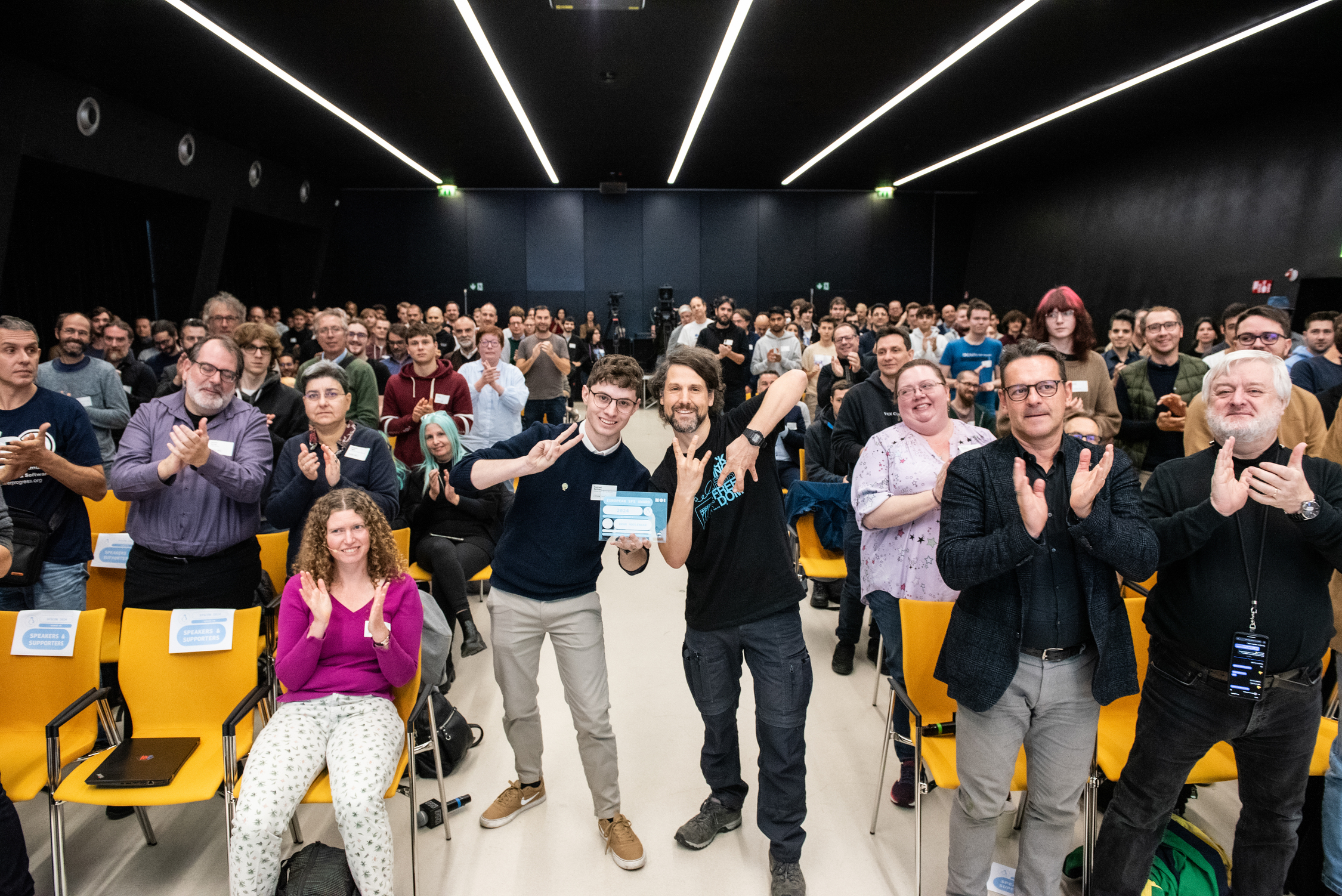
Matthias and Raphael at SFSCON 2024 asking all people in the audience to stand up if are using Vim, or have used Vim in the past. Matthias showing the VI M sign with his fingers - CC-BY-SA 4.0 NOI
While it is a "hidden software" for many out there, it is one of the most important tools for other; including myself. IIRC I started using the text editor Vim in 1999 when I installed my first GNU/Linux distribution. In an e-mail from July 2001, a friend complains that he had some encoding issues with a file I sent him, where I told him that I wrote it with Vim, in November 2001 I sent parts of my Vim config file to another person from our Free Software user group, and my first public post seems to be in 2002 when I engaged in discussions about Vim on the German Debian User mailing list (yes, I would today engage differently in such discussions).
For 25 years, a quarter of a decade, I almost daily write notes and e-mails using the Vim key bindings, all the papers at university (through Latex), almost everything that is published from my had its origin in a text file I edited the "Vim way". The commands are meanwhile part of my muscle memory.
In the preparation for the European SFS Award 2024 I had the honour of talking to many people who closely worked with Bram and with his family. To express my gratitude, let me quote the laudatio again, which was a quite emotional moment for me (if you prefer, you can also watch the video recording).
Matthias: It is an honor to present the European SFS Award 2024. The FSFE and LUGBZ worked together again this year to find a winner from all nominations. This year’s European SFS Award goes to someone whose work transformed how many interact with computers, creating a tool for Free Software contributors, developers, and creators. A tool that new users might be a little afraid of because it can be tricky to exit.
Raphael: (Yes, you may know the software we’re talking about.) A piece of code that makes every keystroke feel like a power move, where “Esc” is the most important key on your keyboard. Since its launch in 1991, this software has spread across more than 15 operating systems and is installed on millions of computers around the world.
Matthias: For our winner, efficiency of computer users was crucial. His mantra was: “Detect inefficiencies, find a quicker way, make it a habit!” and he helped many people to how to actually accomplish this. He went on to help those he met on mailing lists, at conferences like SFSCON in 2009, or at his workplace. He even talked to public administrations, so they actually use and thereby benefit from Free Software. He wanted to ensure that all software which is procured by public administrations is published under a Free Software license for the good of society.
Raphael: Educating others to empower them was also important for him outside of the technology field. He helped children in Uganda -- who often lost their parents due to HIV -- to get education at the Kibaale Community Centre. He enabled school education for many of them so they can take care about themselves and their families in the long run. He founded an NGO to collection donations for this work, even on his work desk there was a piggy bank so that visitors can easily donate.
Matthias: There was a huge online rivalry between the users of his software and those on the other side: those who used another "operating system" and who called his software the "editor of the beast". This rivalry became an enduring part of hacker culture and the Free Software community. A huge fan of Monty Pythons, this year's winner did not shy away from engaging in such banter.
Raphael: His dedication was enormous. His family will not forget the moments, in which he disappeared on Christmas day, because he "needed to fix some bugs". It gave him great pleasure to develop and use his software, and he wanted to help others to also experience this joy. "If you are happy, I am happy!" was one of his sayings. He took every opportunity to work on his projects, even while in the hospital.
Matthias:With his death on 3 August 2023 the Free Software community lost a person who enabled thousands of people to contribute efficiently to software freedom. We regret that he was not able to live longer with his beloved turtles, finishing his plans for a vacuum robot that could clean stairways, fixing bugs, implementing new features for the users of his software, and being here with us.
Raphael: For his remarkable contributions to software freedom the European SFS Award 2024 goes posthumously to Bram Moolenaar, the creator of Vi IMproved -- or VIM.
Matthias: So, please join us in a big round of applause for Bram Moolenaar.
On today's "I love Free Software" day, let me thank again Bram Moolenaar for all the mentioned work. Thank you, Christian Brabandt and the other contributors who took the coordination of Vim after Bram passed away. Thank you to Sven Guckes (I wrote about his death in 2022) who helped me and others with many Vim questions plus showed me how to do the "VI M" with my fingers like in the picture above, and thank you to all the people from projects like NeoVIM, Nvi, Busybox Vi, who develop and maintain their Vi flavour.
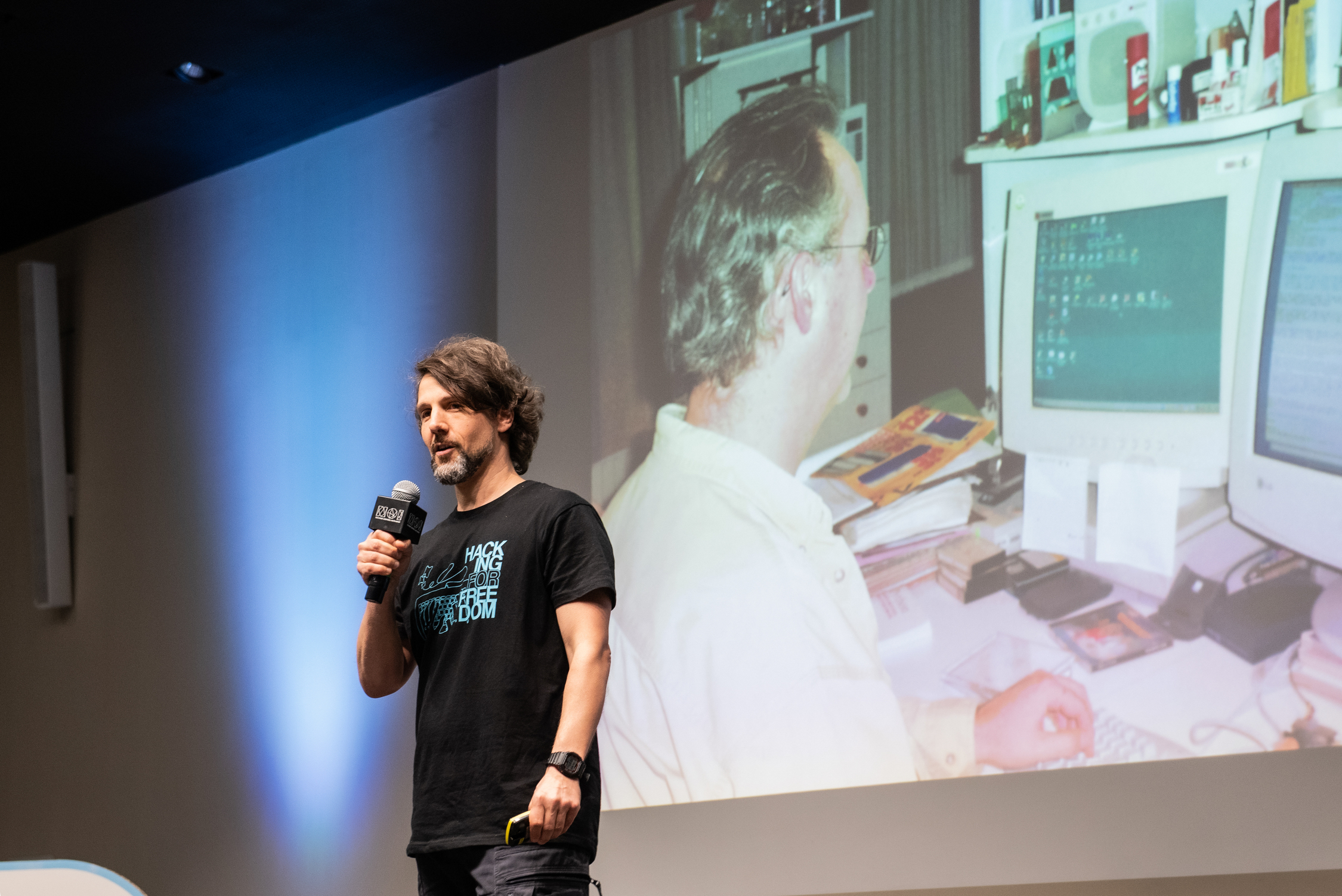
Matthias thanking Bram Moolenaar on stage at SFSCON 2024 with picture of Bram coding on Vim in the background - CC-BY-SA 4.0 NOI
Monday, 10 February 2025
KDE Gear 25.04 release schedule
This is the release schedule the release team agreed on
https://community.kde.org/Schedules/KDE_Gear_25.04_Schedule
Dependency freeze is in around 3 weeks (March 6) and feature freeze one
after that. Get your stuff ready!
Monday, 03 February 2025
Back from FOSDEM
This weekend I visited FOSDEM and the Guix Days in Brussels. On Thursday I went to the Guix Days, a FOSDEM Fringe event. There I met many GNU Guix and Spritely Goblins contributors. I have been using the Guix System for many years, and I have plans to run Guix on smartphones. Spritely Goblins looks as interesting as GNUnet and Taler for me, but I did hot have a deeper look yet. From my eduction in computer science, I know both distributed systems and actor models. Goblins can be used with both Guile and Racket. I prefere the Guile variant, since I already know Guile from Guix. We discussed why “guix pull” is so slow. I also had proposed a talk about Guix System on Alternative target architectures (ARM, RISCV, POWER etc.) including smartphones and my Talos II workstation, currently running Debian GNU/Linux. My second proposal was about Virtual Reality. Unfortunately both poposals have been rejected as there were too many good talks.
On Saturday, the first Day of FOSDEM, I was in the Android Open Source Project and FOSS on Mobile Devices devrooms. There were many interesting talks including “Forking Android considered harmful” and “Towards a purely open AOSP: Adding Android-like functionality to AOSP”. On the second half of the day I went to the “FOSS on Mobile Devices” devroom, where I met Caleb Connolly who works on Qualcomm Snapdragon 845 Mainline Linux. I also met them at the last FrOSCon where I presented my port of Minetest to the LibreM5, a smartphone running GNU/Linux. The first talk in the FOSS on Mobile Devices devroom was “Mainline vs libhybris: Technicalities, down to the buffer”, I also watched most others. I have used libhybris once, as part of Droidian running on my OnePlus 6T, a SDM845 phone. Due to bugs I switched back to Android, later I found out that my phone was not supported by Droidian anymore. By contrast, Mobian uses the Mainline Kernel and does not use Android drivers.
On Sunday I started in the JavaScript devroom, then moved to the “Declarative & Minimalistic Computing” devroom, where I met many of the those who I saw at Guix Days, on the days before FOSDEM. First I listened to the “Minimalist web application deployment with Scheme” talk, then I ate my second a vegan burger at FOSDEM(the first one one was at Saturday). Unfortunately most of the food offered at FOSDEM is still not vegan. Next I went to the Luanti and FOSS on Mobile Devices booths in the K building and talked with the developers about some of the projects that I am currently working on. After that I went back from where I came from to listen to the “The Whippet Embeddable Garbage Collection Library” talk before the most interesting talks about the GNU Shepherd and Spritely Goblins started. Unfortunately I missed the talks from Jessica Tallon and Christine Lemmer-Webber, as I went to the Robotics and Simulation devroom where I had two interesting talks about the “Open 3D Engine” and the “Valve’s Lighthouse 2.0 Technology”. While I prefer Godot for VR, I still liked both talks. I am also working on my VR headset using the “Lighthouse positioning deck” from Bitcraze and a postmarketOS compatible smartphone, currently running both Android and Mobian.
After those two talks I went to the Keynotes at Janson (the big room). Both “The Growing Body of Proprietary Infrastructure for FOSS Development: Repeating Bad History” and “How we are defending Software Freedom against Apple at the EU’s highest court” were pretty interesting talks from Free Software activists who I fully support. Finally I went to room near Jansen where people were working on Virtual Reality (VR). I did not know about Overte e.V. and their Social VR projects yet. I told one of the developers that I use components of V-Sekai in my BeatSaber clone. V-Sekai is more or less a clone of the non-free VRChat game, one of those games that are popular in the transgender community. I am nonbinary and trans myself, and met many other queers at both FOSDEM and Guix Days. Not fully out yet, I enjoy social VR where I can try out a feminine avatar, while presenting mostly masculine in real life. At FOSDEM I wore a skirt and a dress, makeup and cat ears. Next month I’ll plan to go to the Chemnitzer Linux-Tage conference.
Saturday, 01 February 2025
Dropping Privileges in Go
Computer programs may do lots of things, both intended and unintended. What they can do is limited by their privileges. Since most operating systems execute programs as a certain user, the program has all the user’s precious privileges.
To take a concrete example, if a user has an SSH private key laying around and runs, e.g., a chat program, then this program is able to read the private key even though it has nothing to do with it. Assuming that this chat is exploitable, then an attacker might instruct the chat through a crafted message to exfiltrate the private key.
Maybe not the issue’s core, but the damage is rooted in the fact that a program was able to access a resource that it should not be able to access in the first place. As writing secure software is out of scope, the private key could have been saved if the principle of least privilege would have been enforced by some means. It says, in a nutshell, that each component, i.e., the chat software, should only have the necessary privileges and nothing more. Many roads might lead to this state, e.g., not using the same user for private key interactions and chatting or sandboxing the chat application.
When developing software, the developer should know what their tool should be able to do. Thus, they are able to carve out the allowed territories, denying everything else with the help of system features. As a metaphor, think of a werewolf chaining themself up before full moon.
In case you are asking yourself right now why you should do this to your code as it will never fail, then especially you should do this. For most applications out there, the question is not if they can be broken, but more when they will be broken. Since I wrote many bugs throughout the years and saw exploits unable to grasp, I am trying to self-chain all my future werewolves.
Changes In Software Architecture
The idea of self-restricting software is that given up privileges cannot be gotten back. For example, once the program denied itself file system access, no more files can be opened.
The software starts as a certain user, sometimes the root user, e.g., to use an restricted network port.
Thus, after starting to listen on this port, this privilege can be dropped, e.g., by switching to an unprivileged user while keeping the file descriptor.
The software continues accepting connections on the prior bound port, but cannot start listening on other restricted ports.
This limitation must be taken into account when planning the software. Instead of being able to access all resources when necessary, they must be acquired in the beginning phase before self-restricting. To introduce another questionable metaphor, think about a funnel or an upside down cone: Your program starts with all these privileges, dropping it along as it goes until it continues with just the bare minimum.
Good Old Chroot And User-Switch
Let’s start with the classic approach of chrooting and user/group changing. I called it classical, because this variant goes back to the early 1990s and it works on any POSIX-like operating system (think BSDs, Linux and friends).
Unfortunately, this approach has the annoyance that the necessary system calls are reserved for the root user.
While in most cases this is not a problem for daemons, this would be a blocker for end user applications, like GUIs.
Instead of suggesting some SUID file flag madness, secure alternatives for rootless scenarios will follow.
chroot(2)
First things first: chroot(2) changes the process’ root directory to the supplied one.
For example, / becomes /var/empty and accessing /etc/passwd would actually try to open /var/empty/etc/passwd.
To activate the chroot(2), the process needs to chdir(2) into it.
Unless further actions are taken, an attacker can break out of a chroot. Actually, chrooting is not a security feature, but can be used to build one - as this post attempts. Nevertheless, please be aware of the limitations.
A chroot directly impacts the process.
If it should not interact with any files, chrooting to /var/empty or some just created empty directory makes sense.
If there is one directory, one can consider chrooting to this directory.
If, however, files from different locations must be accessed, a strict chroot can be a burden.
This is a decision one has to take on a case by case basis.
After importing golang.org/x/sys/unix, the following snippet is enough to chroot(2) the process to /var/empty, which is a “[g]eneric chroot(2) directory”, according to OpenBSD’s hier(2).
if err := unix.Chroot("/var/empty"); err != nil {
    log.Fatalf("chroot: %v", err)
}
if err := unix.Chdir("/"); err != nil {
    log.Fatalf("chdir: %v", err)
}
setuid(2) or setresuid(2)
The process may now be chrooted to an empty directory, but otherwise still runs as root.
To give up root privileges, let the process switch user rights to an unprivileged user without qualities.
Throughout the ages, multiple syscalls for user switching have emerged, starting at setuid(2).
While not strictly being part of POSIX, the setresuid(2) syscall is available on most operating systems.
It allows setting the real, effective and saved user ID, where there are fine differences between them.
These may differ when developing or using a SUID application, having the real user ID of your user and the effective user ID of the root user.
In this case, however, we just want to drop all privileges to our unqualified user, setting all three user IDs to the same user.
The same applies to groups with setresgid(2).
In addition, as a process may have multiple groups, this list can be shortened via setgroups(2).
Doing so results in only the group privileges of the given groups applies, not all other user groups.
For the example, create an unprivileged worker user. On a Linux, this can be done as the following:
$ sudo useradd \
    --home-dir /var/empty \
    --system \
    --shell /run/current-system/sw/bin/nologin \
    --user-group \
    demoworker
$ id demoworker
uid=992(demoworker) gid=987(demoworker) groups=987(demoworker)
Continue with the following short code block:
// Prior chroot code

uid, gid := 992, 987
if err := unix.Setgroups([]int{gid}); err != nil {
    log.Fatalf("setgroups: %v", err)
}
if err := unix.Setresgid(gid, gid, gid); err != nil {
    log.Fatalf("setresgid: %v", err)
}
if err := unix.Setresuid(uid, uid, uid); err != nil {
    log.Fatalf("setresuid: %v", err)
}
While this snippet works as a demonstration, having to actually configure the user and group ID is a bit too much.
Thus, let the code do the lookup by writing a short helper function around os/user.
One word of caution regarding the os/user package:
It caches the current user and one cannot simply invalidate this cache.
Thus, after using the following helper function user.Current() will always return whatever executed this function first.
// uidGidForUserGroup fetches an UID and GID for the given user and group.
func uidGidForUserGroup(username, groupname string) (uid, gid int, err error) {
	userStruct, err := user.Lookup(username)
	if err != nil {
		return
	}
	userId, err := strconv.ParseInt(userStruct.Uid, 10, 64)
	if err != nil {
		return
	}
	groupStruct, err := user.LookupGroup(groupname)
	if err != nil {
		return
	}
	groupId, err := strconv.ParseInt(groupStruct.Gid, 10, 64)
	if err != nil {
		return
	}

	uid, gid = int(userId), int(groupId)
	return
}
When using this function, a word of caution is necessary as this might be the first situation where the chroot can shoot us in the foot.
The lookup requires the /etc/passwd and /etc/group files to be accessible.
Thus, when already be chrooted to /var/empty, this will obviously fail:
open /etc/passwd: no such file or directory
First, do the lookup, then chroot(2), and finally perform the user/group switching.
// Start with root privileges, do necessary lookups.
uid, gid, err := uidGidForUserGroup("demoworker", "demoworker")
if err != nil {
    log.Fatalf("user/group lookup: %v", err)
}

// Drop into chroot
if err := unix.Chroot("/var/empty"); err != nil {
    log.Fatalf("chroot: %v", err)
}
if err := unix.Chdir("/"); err != nil {
    log.Fatalf("chdir: %v", err)
}

// Switch to an unprivileged user unable to escape chroot
if err := unix.Setgroups([]int{gid}); err != nil {
    log.Fatalf("setgroups: %v", err)
}
if err := unix.Setresgid(gid, gid, gid); err != nil {
    log.Fatalf("setresgid: %v", err)
}
if err := unix.Setresuid(uid, uid, uid); err != nil {
    log.Fatalf("setresuid: %v", err)
}

// Application code follows
Limiting Resources The POSIX Way
After chrooting and dropping root user privileges, the code may no longer access privileged system APIs or some files, but can still run cycles.
For example, a parser may be vulnerable to a billion laughs attack, resulting in either 100% CPU load or even memory exhaustion.
One good old POSIX way to limit different kinds of resources is setrlimit(2).
Depending on the targeting operating system, different resources are defined.
Both horror scenarios from the example can be addressed either via RLIMIT_CPU for CPU time or via RLIMIT_DATA for data.
RLIMIT_CPU
The CPU time or process time is the amount of actively consumed CPU cycles of a single process. If the process calculates something nonstop, this counter raises. However, if the process waits for certain events, the counter idles as well.
As an example, idle for a bit and then burn CPU cycles by useless hash computations while limiting the CPU time to one second.
if err := unix.Setrlimit(
    unix.RLIMIT_CPU,
    &unix.Rlimit{Max: 1},
); err != nil {
    log.Fatal("setrlimit: %v", err)
}

log.Println("CPU time != execution time, hanging low")
time.Sleep(5 * time.Second)
log.Println("STRESS!")

buff := make([]byte, 32)
for i := uint64(1); ; i++ {
    _, _ = rand.Read(buff)
    _ = sha256.Sum256(buff)

    if i%100_000 == 0 {
        log.Printf("Run %d", i)
    }
}
Putting this example into a main function shows how the process gets aborted after consuming too much CPU time.
2025/01/26 20:17:18 CPU time != execution time, hanging low
2025/01/26 20:17:23 STRESS!
2025/01/26 20:17:23 Run 100000
[ . . . ]
2025/01/26 20:17:24 Run 800000
[1]    190379 killed     ./02-01-setrlimit-cpu
RLIMIT_DATA
This second example limits the maximum data segments to 10MiB or, in other words, restricts the amount of available memory to 10MiB.
The code will allocate memory within an infinite loop, resulting an out of memory situation.
However, due to the setrlimit(2) call, the process gets aborted.
if err := unix.Setrlimit(
    unix.RLIMIT_DATA,
    &unix.Rlimit{Max: 10 * 1024 * 1024},
); err != nil {
    log.Fatal("setrlimit: %v", err)
}

var blobs [][]byte
for i := uint64(1); ; i++ {
    buff := make([]byte, 1024)
    _, _ = rand.Read(buff)
    blobs = append(blobs, buff)

    if i%1_000 == 0 {
        log.Printf("Allocated %dK", i)
    }
}
And this will be aborted due to its memory hunger.
2025/01/26 20:17:44 Allocated 1000K
2025/01/26 20:17:44 Allocated 2000K
fatal error: runtime: out of memory
[ . . . ]
Good Hard Limits?
These two examples set hard limits, resulting in eventually aborting the process.
Especially RLIMIT_CPU, being an increasing counter, will be reached.
Thus, what are good values? Depends, of course.
Just to be sure, if deciding to set any limits, make them high enough to not be reached anyhow during normal operation. If something goes south, they are still there as a safety net.
And what about soft limits? That is an exercise left for the reader.
Doubling Down With OS-specific Features
Everything so far should work on most POSIX-like operating systems. As an advantage, using these patterns in your program may work on platforms you did not even know existed.
But there are also OS-specific mechanisms allowing to drop privileges, even when not starting as the root but with an usual user.
Since my personal experience is limited to Linux and OpenBSD, I will address some of their features.
With OpenBSD having simpler APIs to use, I will start there.
Restricting Syscalls On OpenBSD
The operating system’s kernel verifies if the user privileges are sufficient to access some resource.
For example, when trying to open(2) a file, the operating system may deny this.
This check happens within open(2).
But what if the program itself cannot even use open(2) since the developer knows that it never must open a file in the first place.
Welcome to system call filtering, allowing a program to restrict what syscalls are being used later on.
If there is a thing like having a favorite system call, mine might be OpenBSD’s pledge(2).
It provides a simple string-based API to restrict the available system calls based on space separated keywords, called promises.
These promises are names of syscall groups, e.g., rpath for read-only system calls regarding the file system.
By adding exec to the list, executing other programs will be allowed, starting them with their own promise, given in the second parameter.
int pledge(const char *promises, const char *execpromises);
After a pledge(2) was made, it cannot be undone, only be tightened.
Tightening means calling pledge(2) another time with a shorter promises list.
In case of violating the syscall promise, the process gets either killed or, if error is part of the promise, the denied system call returns an error.
As being a system call, it is available for Go in golang.org/x/sys/unix.
Unfortunately, the web Go Packages thingy only renders the docs for some selected platforms, not including OpenBSD.
Thus, I took the liberty to paste the docs below.
By the way, setting the GOOS or GOARCH environment variable also works for go doc, e.g., GOOS=openbsd go doc -all golang.org/x/sys/unix works on a Linux.
func Pledge(promises, execpromises string) error
    Pledge implements the pledge syscall.

    This changes both the promises and execpromises; use PledgePromises or
    PledgeExecpromises to only change the promises or execpromises respectively.

    For more information see pledge(2).

func PledgeExecpromises(execpromises string) error
    PledgeExecpromises implements the pledge syscall.

    This changes the execpromises and leaves the promises untouched.

    For more information see pledge(2).

func PledgePromises(promises string) error
    PledgePromises implements the pledge syscall.

    This changes the promises and leaves the execpromises untouched.

    For more information see pledge(2).
Now, there are three Go functions for pledge(2): One to set both parameters and one to set only the first or second one.
Let’s create an example for a simple program working with an input file, making a promise just allowing to read the file and making another tighter one after it was read.
Use your imagination what the program should do, e.g., it can convert an image to another format and printing it out to stdout.
// Start with limited privileges
if err := unix.PledgePromises("stdio rpath error"); err != nil {
    log.Fatalf("pledge: %v", err)
}

// Read input file
f, err := os.Open("input")
if err != nil {
    log.Fatalf("cannot open input: %v", err)
}
inputFile, err := io.ReadAll(f)
if err != nil {
    log.Fatalf("cannot read input: %v", err)
}
if err := f.Close(); err != nil {
    log.Fatalf("cannot close input: %v", err)
}

// Drop further, reading files is no loner necessary
if err := unix.PledgePromises("stdio error"); err != nil {
    log.Fatalf("pledge: %v", err)
}

// Do some computation based on the input
As the example shows, using pledge(2) is both easy and boring.
That might be the reason why most programs being shipped with OpenBSD are pledged and there are lots of patches for ported software.
Only one command results in dropping so much privileges.
Impressive.
Restricting File System Access On OpenBSD
This post opened with the constructed example of a pwned chat program used to exfiltrate the user’s SSH private key.
What if a program could make a promise which file system path are needed, denying every other access?
OpenBSD’s unveil(2) addresses this, similar as pledge(2) does for system calls.
Multiple unveil(2) calls are creating an allow-list to unveiled paths the program is allowed to access.
Each call adds a path and the kind of permission: read, write, exec and/or create.
After a finalizing call of two empty parameters, this will be enforced.
Thus, if the chat program would use unveil(2) for relevant directories - definitely not containing ~/.ssh -, this exploit would have been mitigated.
int unveil(const char *path, const char *permissions);
This system call is available for Go in golang.org/x/sys/unix as well.
func Unveil(path string, flags string) error
    Unveil implements the unveil syscall. For more information see unveil(2).
    Note that the special case of blocking further unveil calls is handled by
    UnveilBlock.

func UnveilBlock() error
    UnveilBlock blocks future unveil calls. For more information see unveil(2).
Thus, in Go multiple unix.Unveil(...) calls might be issued with a closing unix.UnveilBlock().
Continuing with the chat program example, a program can be written to allow read/write/create access to some Download directory to store cringy memes. All other file system requests should be denied.
// Restrict read/write/create file system access to the ./Download directory.
// This does not include exec!
if err := unix.Unveil("Download", "rwc"); err != nil {
    log.Fatalf("unveil: %v", err)
}
if err := unix.UnveilBlock(); err != nil {
    log.Fatalf("unveil: %v", err)
}

// Buggy application starts here: allowing path traversal
userInput := "../.ssh/id_ed25519"

f, err := os.Open("Download/" + userInput)
if err != nil {
    log.Fatalf("cannot open file: %v", err)
}
defer f.Close()

privateKey, err := io.ReadAll(f)
if err != nil {
    log.Fatalf("cannot read: %v", err)
}
log.Printf("looks familiar?\n%s", privateKey)
Taking this code for a test drive shows how a good old path traversal attack was mitigated, even if the file exists.
$ ./04-openbsd-unveil
2025/01/26 22:11:57 cannot open file: open Download/../.ssh/id_ed25519: no such file or directory
$ ls -l Download/../.ssh/id_ed25519
-rw-------  1 user  user  420 Jan 26 22:10 Download/../.ssh/id_ed25519
Great success!
Restricting Syscalls On Linux
Let’s switch operating systems and focus on the Linux kernel for a while.
The similar named section about system call filtering on OpenBSD started with a few sentences about how system calls are the gateway between programs and the kernel to access resources. Same applies to Linux, and almost any operating system out there. Denying unnecessary syscalls directly implies restricting privileges.
Linux comes with a very powerful tool, Seccomp BPF, allowing each process to supply a program to the kernel, deciding which system calls are being allowed. This program is an Berkeley Packet Filter (BPF), receiving both the syscall number and (some) arguments. Thus, it is even possible to allow or deny only certain parameters of a syscall.
Obviously, this great flexibility has its ups and downs. While there are situations where one might want to create a very specific filter, a quick-and-dirty one might be more common. At least in my experience as an unwashed userland developer, I mostly prefer a more rough filter, especially in Go where mostly not interacting with system calls directly.
But where to start?
When wanting to get the pure Seccomp BPF experience in Go, there is the github.com/elastic/go-seccomp-bpf package, written in pure Go without any cgo.
It allows developing fine-grained filters on a system call basis, as introduced above.
When I first used it, I had no real clue where to start with writing a filter for my Go program.
Starting with an all denying filter and using Linux’ auditd(8) I made progress in getting hopefully all necessary syscalls.
But then I had to realize that updating Go or any of my dependencies may result in other code (d’oh!) and therefore other system calls.
Another constraint is that there are slightly differences between the available system calls of different architectures.
Thus, I started to play around with a more wider filter list and eventually “borrowed” the sets available in systemd’s SystemCallFilter.
Administrators may know this feature already, allowing to restrict the available system calls for each service under systemd’s control through a list of system calls, quite familiar to pledge(2).
After a while I built myself a small library exactly for this use case, github.com/oxzi/syscallset-go.
From a developer’s perspective, it serves a simple string-based API to build yourself a list of allowed system calls through groups.
Honestly, I just shipped systemd’s code to Go and made it fly using the aforesaid go-seccomp-bpf library.
But it works.
// Start with limited privileges
if err := syscallset.LimitTo("@system-service"); err != nil {
    log.Fatalf("seccomp: %v", err)
}

// Read input file
f, err := os.Open("input")
if err != nil {
    log.Fatalf("cannot open input: %v", err)
}
inputFile, err := io.ReadAll(f)
if err != nil {
    log.Fatalf("cannot read input: %v", err)
}
if err := f.Close(); err != nil {
    log.Fatalf("cannot close input: %v", err)
}

// Drop further, reading files is no loner necessary
if err := syscallset.LimitTo("@basic-io"); err != nil {
    log.Fatalf("seccomp: %v", err)
}

// Do some computation based on the input
The not dozed off reader might recognize this code, as it is almost identical to the demo code used for pledge(2) above.
However, there are a few small differences.
First and most obvious, the filters differ.
There are also no meta-filters on OpenBSD like the used @system-service, containing lots of commonly used system calls.
Furthermore, OpenBSD’s pledge(2) had the handy error group, allowing forbidden system calls to fail, when set.
Otherwise, the kernel would kill the process.
This behavior also applies here, were each misstep will directly be punished by process execution.
Restricting File System Access On Linux… And Network Access As Well
For symmetry sake, Linux’ answer to unveil(2) must follow.
And it does, but it is also way more.
Please welcome Landlock LSM.
While Landlock started to address the same issues as unveil(2) - limiting file system access -, it recently grow to also allow certain network isolations.
But let the code speak for us, using the github.com/landlock-lsm/go-landlock library.
Restricting Paths
// Restrict file system access to the ./Download directory.
if err := landlock.V5.BestEffort().RestrictPaths(
    landlock.RWDirs("Download"),
); err != nil {
    log.Fatalf("landlock: %v", err)
}

// Buggy application starts here: allowing path traversal
userInput := "../.ssh/id_ed25519"

f, err := os.Open("Download/" + userInput)
if err != nil {
    log.Fatalf("cannot open file: %v", err)
}
defer f.Close()

privateKey, err := io.ReadAll(f)
if err != nil {
    log.Fatalf("cannot read: %v", err)
}
log.Printf("looks familiar?\n%s", privateKey)
This code might also look familiar, because it is an adapted version of the earlier unveil(2) example.
One thing worth mentioning might be the V5.BestEffort() part.
Landlock itself is versioned, growing with Linux releases in features.
But to build a Go program compatible with older targets, the BestEffort part falls back to what the targeted kernel supports.
In case this is not desired, directly use V5.RestrictPaths - or whatever version is the latest when reading.
Restricting Network
At the moment, the possibilities to restrict network connections is still a bit limited in Landlock, but therefore has a simple API. In case you are looking for a full-fledged network limitation suite on Linux, maybe take a look at cgroup eBPF-based network filtering.
So, what is definitely possible? The application is able to limit both inbound and outbound TCP traffic based on ports. Or, in simpler words, one can allow certain TCP ports.
// Restrict outbound TCP connections to port 443.
if err := landlock.V5.BestEffort().RestrictNet(
    landlock.ConnectTCP(443),
); err != nil {
    log.Fatalf("landlock: %v", err)
}

// HTTP should fail, while HTTPS should work.
for _, proto := range []string{"http", "https"} {
    _, err := http.Get(proto + "://pkg.go.dev/")
    log.Printf("%q worked: %t\t%v", proto, err == nil, err)
}
This little example only allows outgoing TCP connections to port 443, as the failing HTTP (port 80) connection shows. Of course, this is no secure way to restrict your application to only use HTTPS.
./06-02-linux-landlock-tcp
2025/01/27 21:35:32 "http" worked: false        Get "http://pkg.go.dev/": dial tcp [2600:1901:0:f535::]:80: connect: permission denied
2025/01/27 21:35:32 "https" worked: true        <nil>
And finally, there is also landlock.BindTCP as a rule option, restricting the TCP ports to be bound to.
This may be especially useful when fearing that an attacker launches a shell.
Is This All? Are We Finished?
Have I now covered all possible options for an application to self-restrict its privileges?
Obviously not.
I have not even started covering Linux’ cgroups, itself allowing a wide range of restrictions.
And then there are even other operating systems, like FreeBSD with its capsicum(4).
My main goal for this post was to show that there are quite simple APIs to restrict limiting privileges. OpenBSD itself comes with simple APIs and for Linux there are the two shown Go libraries making these big, very configurable features also usable as a one-liner.
Then there is setrlimit(2), which one might wanna use or might wanna ignore.
And of course the root-restricted chroot(2)/setresuid(2) dance.
Thus, you as a developer have a choice. As shown, it is quite easy adding some of the introduced mechanisms to protect your software against future mischief. I would urge you to give it a try, limiting the attack surface of your program.
The examples used in this post and more are available in the following git repository, https://codeberg.org/oxzi/go-privsep-showcase. May it be useful.
Wednesday, 15 January 2025
Planet FSFE (en):  RSS 2.0 | Atom |
  FOAF |
0x21
Albrechts Blog
Alessandro's blog
Andrea Scarpino's blog
André Ockers on Free Software
Bela's Internship Blog
Bernhard's Blog
Bits from the Basement
Blog of Martin Husovec
Bobulate
Brian Gough’s Notes
Chris Woolfrey — FSFE UK Team Member
Ciarán’s free software notes
Colors of Noise - Entries tagged planetfsfe
Communicating freely
Daniel Martí's blog
David Boddie - Updates (Full Articles)
ENOWITTYNAME
English Planet – Dreierlei
English on Björn Schießle - I came for the code but stayed for the freedom
English – Abandoned blog
English – Alessandro at FSFE
English – Alina Mierlus – Building the Freedom
English – Being Fellow #952 of FSFE
English – Blog
English – FSFE supporters Vienna
English – Free Software for Privacy and Education
English – Free speech is better than free beer
English – Nicolas Jean's FSFE blog
English – Paul Boddie's Free Software-related blog
English – The Girl Who Wasn't There
English – Thinking out loud
English – Viktor's notes
English – With/in the FSFE
English – gollo's blog
English – mkesper's blog
English – nico.rikken’s blog
Escape to freedom
Evaggelos Balaskas - System Engineer
FSFE interviews its Fellows
FSFE – Frederik Gladhorn (fregl)
FSFE – Matej's blog
Fellowship News
Free Software & Digital Rights Noosphere
Free Software on Carmen Bianca BAKKER
Free Software with a Female touch
Free Software – Torsten's Thoughtcrimes
Free Software – hesa's Weblog
Free as LIBRE
Free, Easy and Others
FreeSoftware – egnun's blog
From Out There
Giacomo Poderi
Green Eggs and Ham
Handhelds, Linux and Heroes
HennR’s FSFE blog
Henri Bergius
Karsten on Free Software
Losca
MHO
Mario Fux
Matthias Kirschner's Web log - fsfe
Max Mehl (English)
Michael Clemens
Myriam's blog
Mäh?
Nice blog
Nikos Roussos - opensource
Pressreview
Rekado
Riccardo (ruphy) Iaconelli – blog
Saint’s Log
TSDgeos' blog
Tarin Gamberini
Technology – Intuitionistically Uncertain
The trunk
Thomas Løcke Being Incoherent
Told to blog - Entries tagged fsfe
Tonnerre Lombard
Vincent Lequertier's blog
Vitaly Repin. Software engineer's blog
Weblog
Weblog
Weblog
Weblog
Weblog
Weblog
a fellowship ahead
agger's Free Software blog
anna.morris's blog
ayers's blog
bb's blog
blog
en – Florian Snows Blog
en – PB's blog
en – rieper|blog
english – Davide Giunchi
english – Torsten's FSFE blog
foss – vanitasvitae's blog
free software blog
freedom bits
freesoftware – drdanzs blog
fsfe – Thib's Fellowship Blog
julia.e.klein’s blog
marc0s on Free Software
mina86.com (In English)
pichel’s blog
planet-en – /var/log/fsfe/flx
polina's blog
softmetz' anglophone Free Software blog
stargrave's blog
tobias_platen's blog
tolld's blog
wkossen’s blog
yahuxo’s blog